Where to buy masks in GTA 6 explained
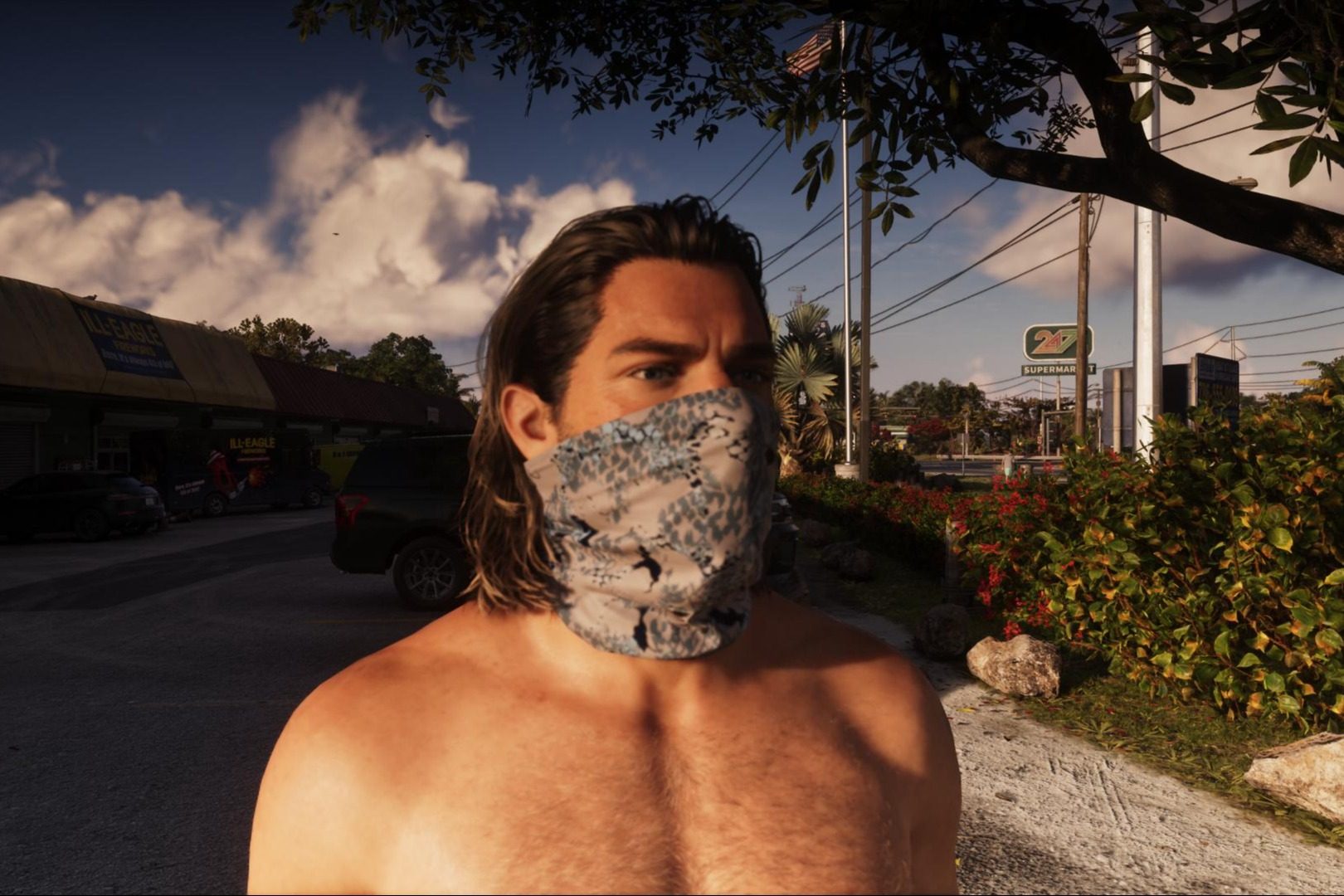
No self-respecting robber would be complete without a mask in GTA 6.
If you don't want the people you're robbing, or more importantly the cops, to know who you are, then a ski mask is your ticket to anonymity.
So, if you're wondering how and where to buy masks in GTA 6, here's what you need to know.

You can buy masks from any gun store in GTA 6.
The first place you'll probably be able to come across them is at Chuck's Tackle & Shot in Key Lento, where they're found on a stand with an alligator head on the top, although rather confusingly, they are labelled as 'Neckwear'.
But you can buy them from any Ammu-Nation store right from the beginning of the game.
Open up your map, open the Weapons tab and you'll be able to search for any and all gun stores in Leonida to head to.
Want to see this content?
This page contains content provided by Google reCAPTCHA. We ask for your permission before anything is loaded, as Google reCAPTCHA may use cookies and other technologies. To view this content, choose 'Accept and continue' to allow Google reCAPTCHA and its required purposes.
There are a number of different mask variations including ski masks, bandanas, neck gaiters and bigness masks.
If you fancy doing a little trolling, there are some novelty masks to be found in certain thrift stores.
On the other end of the spectrum, some high-end boutiques will sell you very fancy and very expensive masks for the robber with taste.
How to wear masks in GTA 6 explained
Once you've bought your mask, it's time to put it on.
First, make sure to add the mask to your inventory by visiting the wardrobe in your house.
Scroll to the accessories tab where you'll find the Masks option, separating them all by brand.
You can also store some masks in the back of your car just in case you need one in a pinch.
With the mask in your inventory, hold L1/LB to open your loadout, press R1/RB to scroll to the items menu, and then select Mask from the neckwear slot at the top of the wheel.
Press A to put it on, and press A again to remove it. It's as simple as that.
While in the loadout menu, you can also change the style of your mask by pressing up and down to conceal or reveal your face.
Want to see this content?
This page contains content provided by Riddle. We ask for your permission before anything is loaded, as Riddle may use cookies and other technologies. To view this content, choose 'Accept and continue' to allow Riddle and its required purposes.
Read more on GTA 6:
- GTA 6 cheat codes
- How to improve your stats in GTA 6
- GTA 6 missions list
- How to clone keys in GTA 6
- GTA 6 tips and tricks
- How to make money fast in GTA 6
- GTA 6 door codes and safe codes
- GTA 6 trophy guide
- GTA 6 sales numbers
- When is GTA 6 coming to PC?
- When will GTA 6 multiplayer come out?
- Should you kill Arnold in GTA 6?
- How long is GTA 6?
- GTA 6 soundtrack
- GTA radio stations
Check out more of our Gaming coverage or visit our TV Guide and Streaming Guide to find out what's on. For more TV recommendations and reviews, listen to The Radio Times Podcast.
Authors
Alex Raisbeck is a Gaming Writer at Radio Times, covering everything from AAA giants to indie gems. Alex has written for VideoGamer, GamesRadar+, PC Gamer, PCGamesN and more.
KioskNews shows a cleaned-up reading view extracted from the publisher’s page — the original always lives on their site, not ours.