The Alexa Home Map is a visual way to see and control your smart home
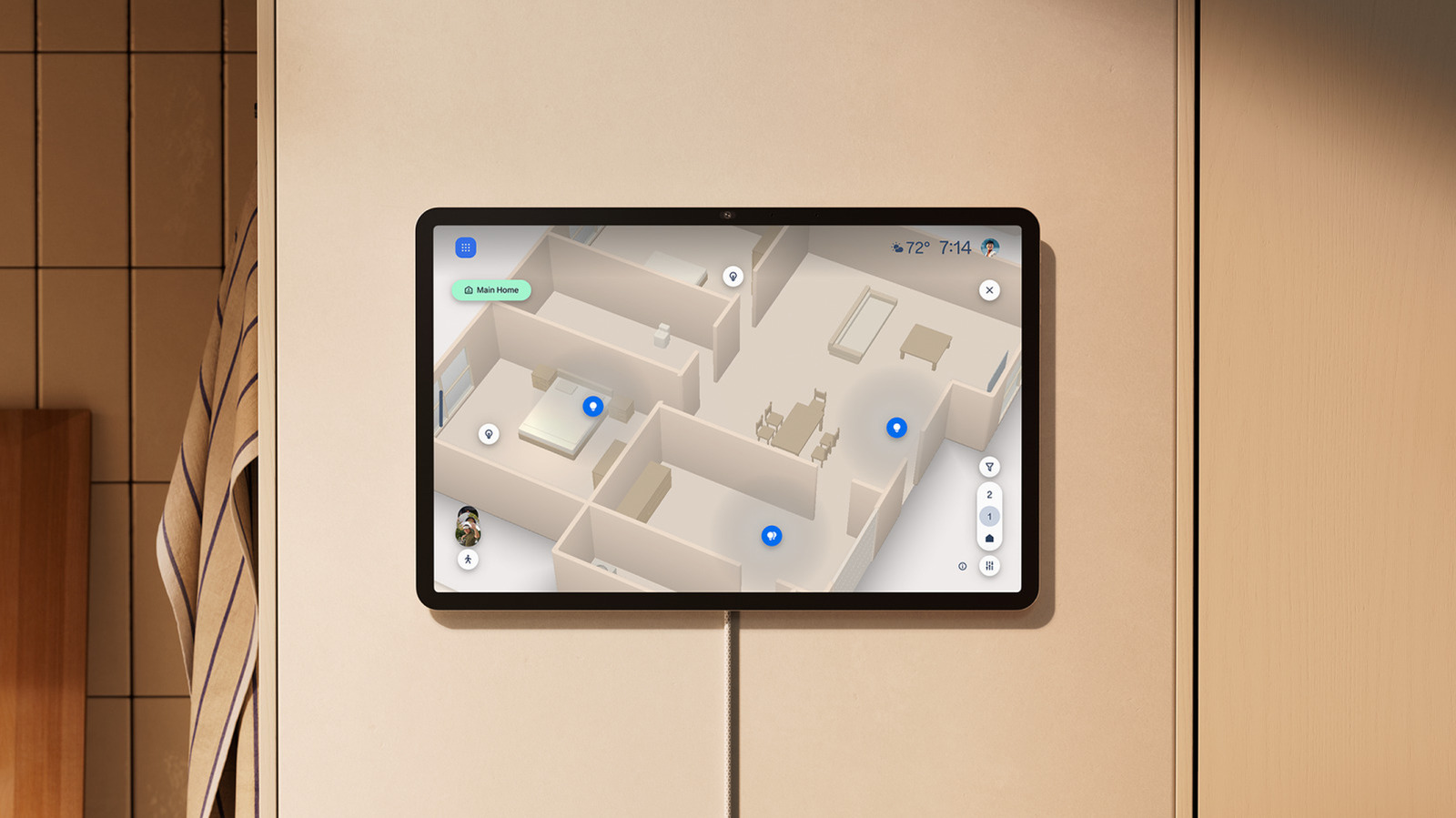
In case you're sick of remembering what you named your thirteenth lamp.
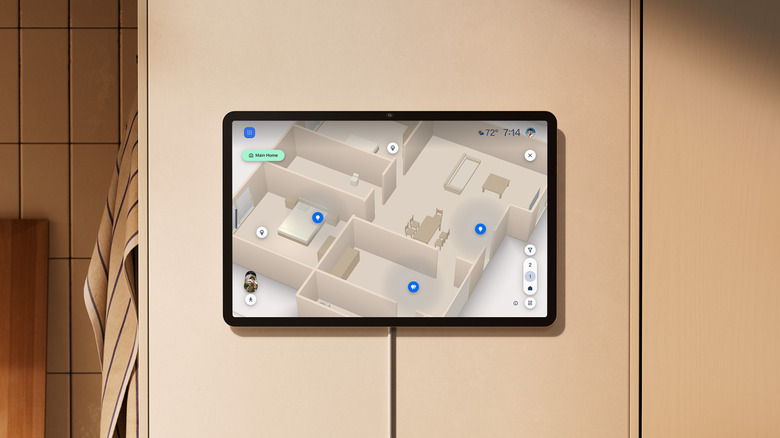
Amazon
Alongside a slew of Echo devices, Amazon also introduced a new smart home interface today. It's called the Alexa Home Map, and the company describes it as "an interactive 3D map that lets you see and control your home."
Most modern control panels from the likes of Google and Apple display your collection of connected home devices as tiles on a page. You open an app, whether it's Google Home or Apple Home, and you're presented with rows and columns of these cards. Depending on the type of device represented, you can either tap on a card to turn a light on, or drag a slider on it to adjust things like volume or brightness. But this setup requires you to either scroll through a list of rooms in your home or sort by type of device or pin your most commonly used items to the dashboard.
It's something we've gotten used to, but is not necessarily the most intuitive. With the Alexa Home Map, you can get a digital blueprint of your home, and it will feature animated icons for things you can control. Light bulbs and speakers appear on the map where they're located, which is handy if you've forgotten what you've named a specific fixture and only remember where they're placed.
The Alexa Home Map also works with outdoor security cameras to show you what's around your house, including passing vehicles and pedestrians. But rather than present photorealistic representations of individuals, the map uses a visualization that to me was initially reminiscent of scenes from The Sims. I almost expected some of the faux people to randomly spasm like my Sims characters. I later found out that the visual identity was more inspired by the likes of Tesla's Driving Visualization, which made sense.
According to Amazon, the map "updates dynamically in real time, showing the colorful glow of your smart lights and animations of cars and people moving around your yard." In a demo I saw at the company's briefing event this week, the Home Map even showed precipitation like snow and rain, when it was reflective of the local weather.
The company added that lights on the map will glow "in the same color and brightness they're set to, so a blue-lit living room or a dimmed bedroom looks that way on screen." A speaker that's actively playing will show music notes dancing around it. "These touches make the map feel less like a diagram and more like a living picture of your home, and it'll continue to get even better over time," Amazon said in its press release.
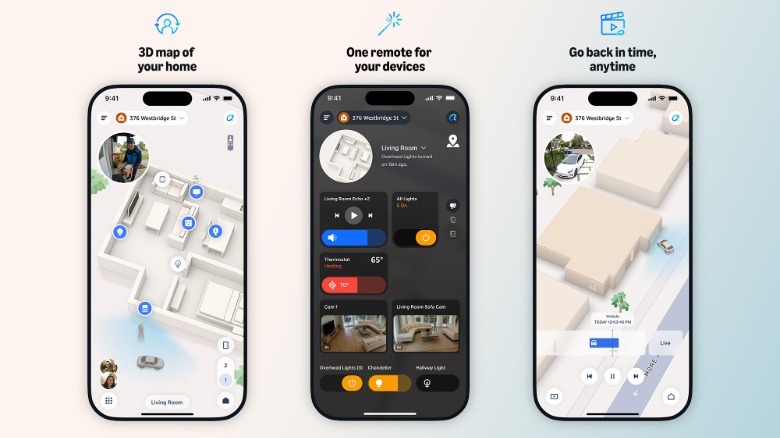 Amazon
To set up your Alexa Home Map when it's available later this year, you'll start by entering your address. Amazon says "the exterior of your home appears automatically" once you do. Then, you'll have to take your compatible iPhone (or Android when it rolls out there) and walk through your home to scan the interior. This uses LIDAR, so it's likely that there won't be a lot of non-iPhone devices that will be compatible with it.
Once you're done with the scan, you'll need to "place your devices on the map right where they sit in your home." I can't tell how involved this process is – I can only imagine that sitting down and drawing up where all 120 of the lights in your massive mansion would take hours. But that's probably a problem that someone that can afford a mansion would not deign to worry about.
Amazon said that "once your map is built, you can move around it however you like, zooming into individual rooms and switching between floors." You can also filter out the devices you're seeing on the map by their type, so you can quickly get a view of just the lights or plugs in your home. You can also use light mode or dark mode, depending on your preferences.
Alexa Home Map "will start to roll out in preview later this year on the Alexa Home Map app on iOS," and it'll also arrive on the Alexa and Ring apps. In addition, larger Echo Show devices like the Ember Artline Fire TV, as well as the new Alexa Tablets and Echo Show 16. A spokesperson at the event told me that Android support will be coming in early 2027.
KioskNews shows a cleaned-up reading view extracted from the publisher’s page — the original always lives on their site, not ours.