Valve Steam Frame review: Solid standalone VR that's too little, too late
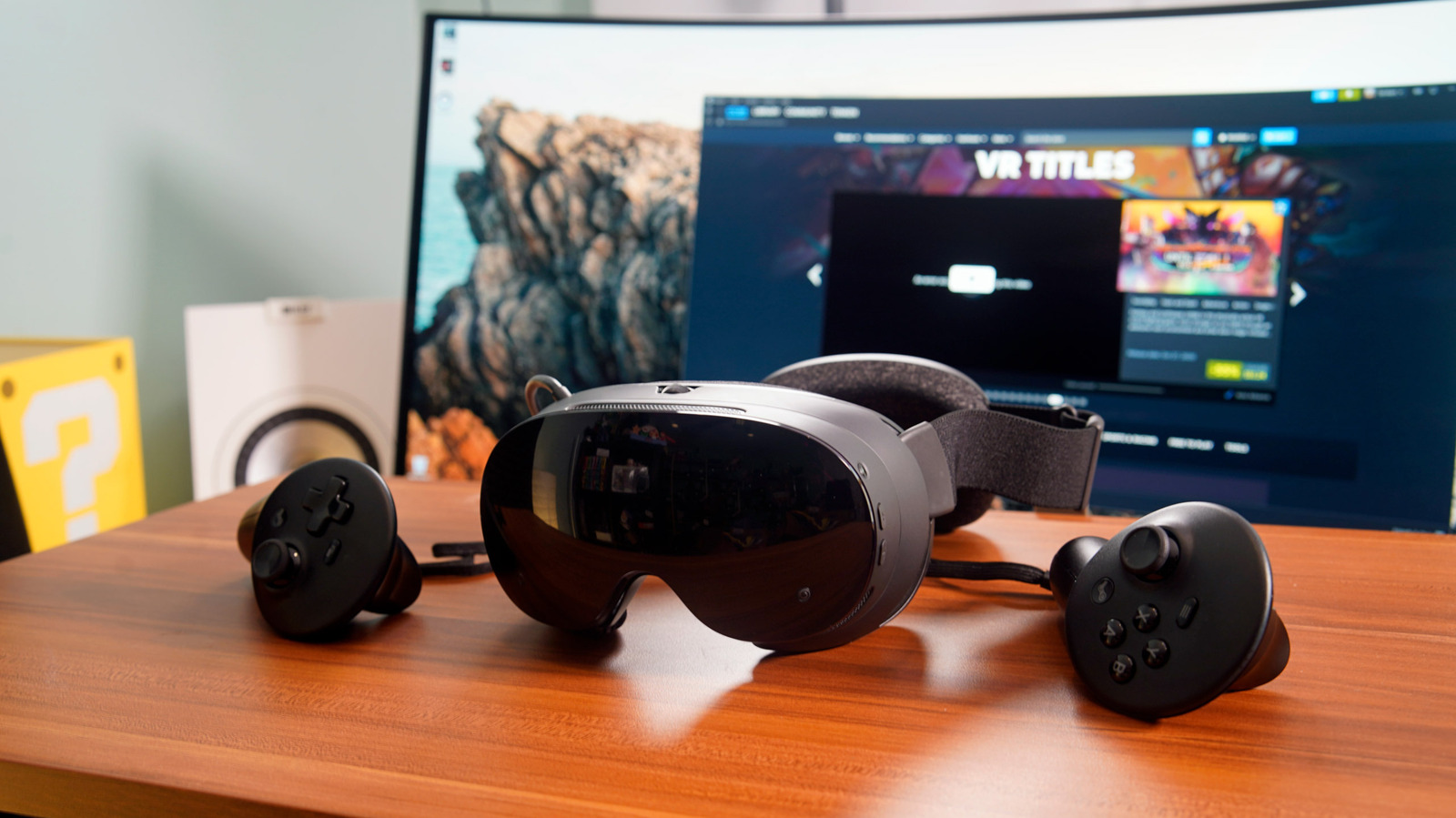
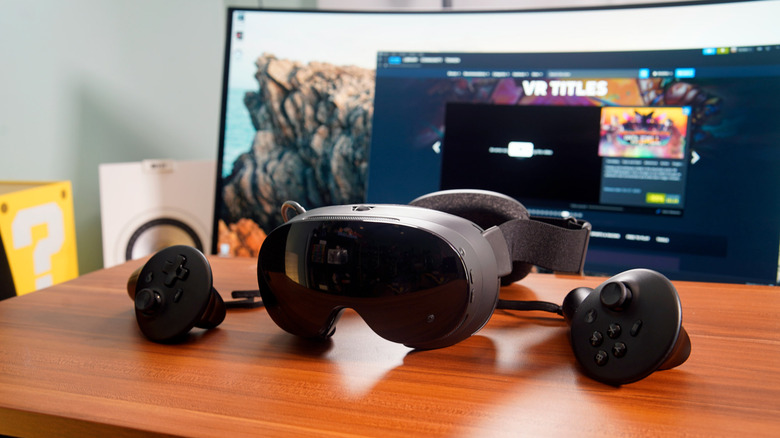
Devindra Hardawar for Engadget
RATING : 6.5 / 10
- Solid standalone-VR performance
- Very comfortable without glasses
- Stable PC streaming
- Exorbitantly expensive
- Awful speakers
- Limited new VR content
- Tight fit with glasses
Much like the Steam Machine, Valve's Steam Frame VR headset feels like a device that should have shipped five years ago. As a standalone wireless headset, it's directly competing with Meta's Quest lineup, even though that company has seriously scaled back its VR ambitions. The ability to play many Steam VR games right within the Steam Frame would have been cool several years ago, but in 2026 there aren't many developers left building ambitious new virtual reality experiences. Oh yeah, the Steam Frame also starts at a whopping $1,059 with just 256GB of storage, a far cry from the heyday of the $200 Quest 2, or even the current $600 Quest 3. Just who the hell is this VR headset really for?
The cynic in me thinks the Steam Frame is a sign of just how out of touch Valve is with the broader VR industry. Perhaps the company planned to release something closer to the Quest 3's launch in 2023, back when VR seemed like an escape from the early days of the COVID-19 pandemic. In today's chaotic economy, I can't imagine anyone being excited to shell out over $1,000 for the Steam Frame just to jump into the same VR games they've been playing for a decade. And while there are a handful of new VR releases today, it's far from a thriving category of games.
After testing the Steam Frame for the past week, I can't deny it does some things well. It delivers an expansive and sharp VR experience without the need for any cables. It's also nice to play 2D games on a gigantic virtual screen, and you can also stream over more demanding VR and 2D titles from your gaming PC. But it's not something I can recommend at its current price, not when the Quest 3S and Quest 3 can deliver similar VR experiences for $350 and $600, respectively.
What's notable about the Steam Frame?
Devindra Hardawar for Engadget
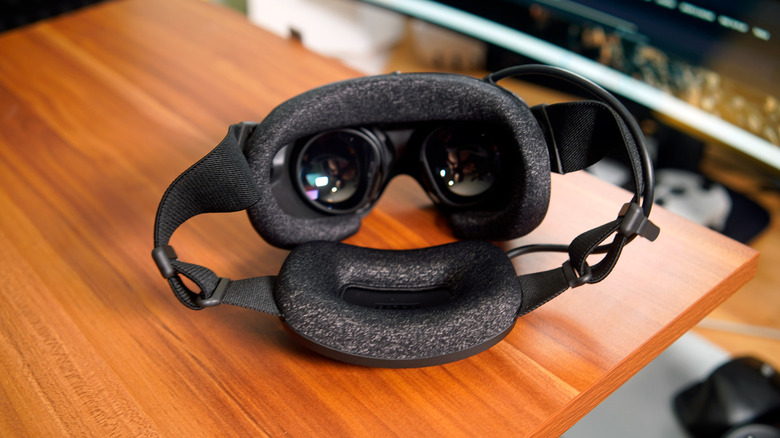
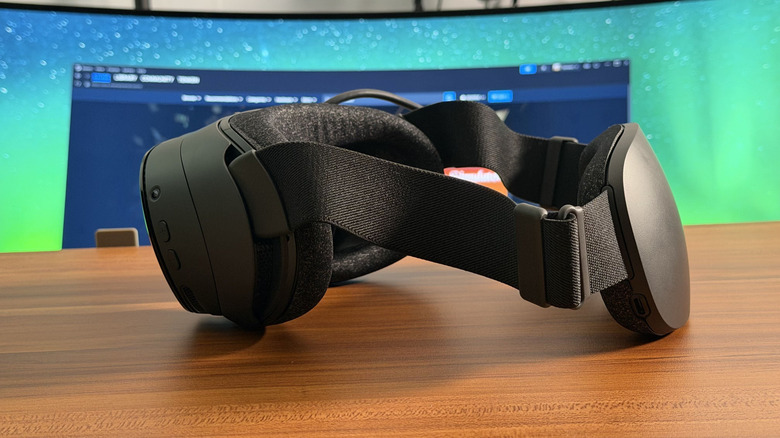
The Steam Frame looks like a far slimmer version of the Valve Index, the company's first stab at premium VR hardware. The front display area is much shorter, there's no clunky plastic bar connecting the front and rear portions of the headset, and it weighs just under a pound (440 grams). That makes it slightly lighter than the 1.13-pound (515 grams) Quest 3. A large cushion surrounds the removable face gasket, and it's also buoyed by additional cushioning along the rear battery.
Despite being much lighter than a typical headset, though, the Steam Frame still looks unapologetically like older VR hardware. It's practically archaic compared to the leaked images of Meta's next-gen "Project Phoenix" headset, which looks like a sleek pair of large sunglasses. Valve clearly isn't going for much mainstream appeal here — it's catering to the gamers who just want a standalone headset for Steam VR.
The Steam Frame's two large LCD pancake lenses deliver 2,160 by 2,160 pixels per eye, and they offer between a 72Hz and 144Hz refresh rate. Valve says the latter figure is currently experimental, and since it's also forcing the device to do more work, you can also expect it to be far more battery-demanding. For the price, it would have been nice to see Valve bump up to micro-OLED displays, like the Apple Vision Pro and Bigscreen Beyond. The Steam Frame also features eye-tracking sensors for foveated rendering, which lets it instantly show you the sharpest VR picture wherever your eyes are looking.
 Devindra Hardawar for Engadget
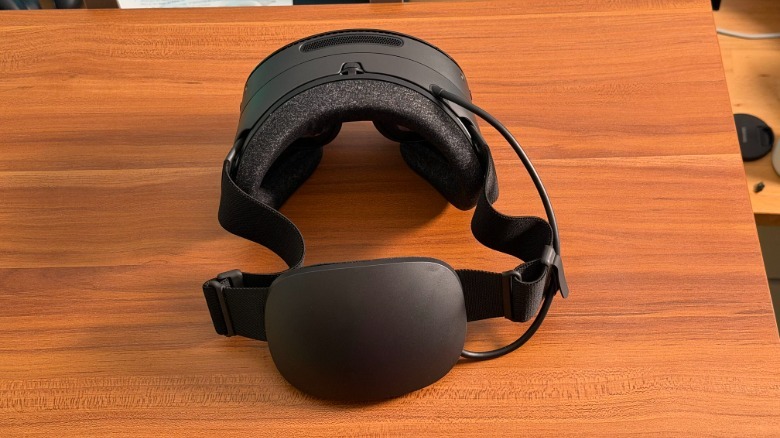
Under the hood, the Steam Frame is powered by a Snapdragon 8 Gen 3 CPU, an eight-core chip that should be significantly faster than the six-core Snapdragon XR2 Gen 2 in the Quest 3. It also features 16GB of RAM and comes with either 256GB or 1TB of Universal Flash Storage (UFS). And, thankfully, there's a microSD card slot for adding more storage.
The Steam Frame itself doesn't have a ton of onboard controls. There are volume buttons along the left side, as well as power and auxiliary buttons along the right. A small expansion port on the bottom also lets you connect accessories like Arcturus's RGB camera. (Unfortunately, its internal cameras are monochrome.)
Notably, the Steam Frame also ships with a wireless PC dongle for direct 6GHz Wi-Fi 6e streaming. While the Quest headsets also let you stream games wireless from your gaming PC, they used your existing Wi-Fi network to do so, which often led to unreliable connections. Valve says its dongle can also work together with your Wi-Fi network to ensure a smoother streaming experience. (You could also connect Quest headsets to PCs with USB 3.0 cables, which avoids wireless interference issues, but loses cord-free convenience.)
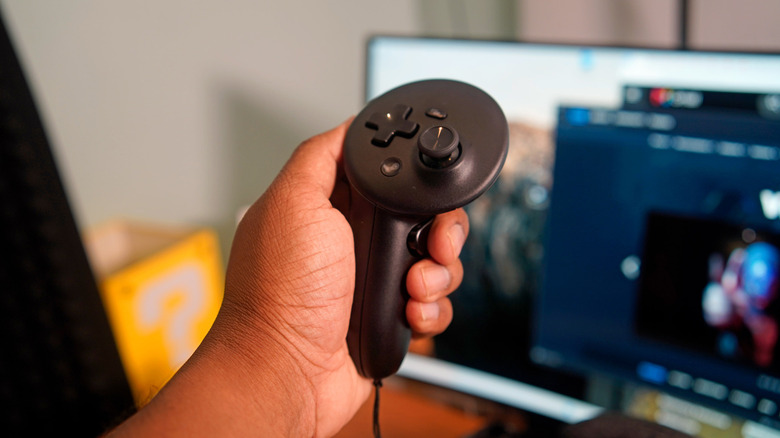
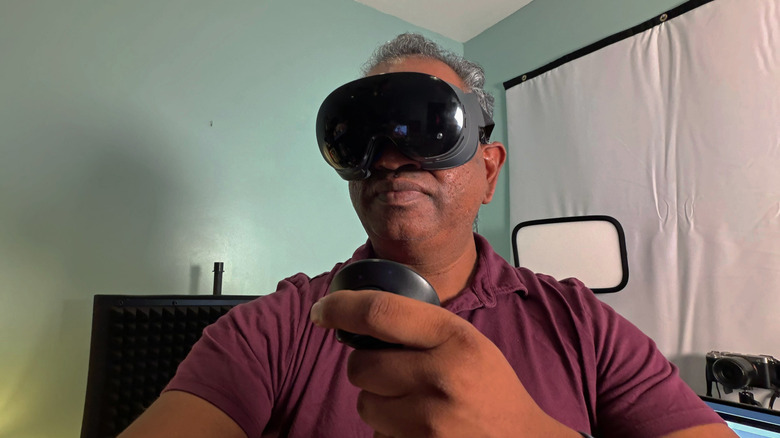
Valve's new Steam Frame controllers are practically copies of the designs from Oculus (before Meta's acquisition) and other VR headset makers. They both have two analog sticks, two system buttons, analog triggers and grip buttons. As usual, the left controller has a traditional directional pad, while the right has four face buttons. Valve's unique Index controllers, which were gripped tightly to your hands at all times, are no more. Still, you can replicate that functionality with the Frame's $59 Ergonomic Accessories Kit, which has hand straps and an additional top head strap. It's not too surprising to see Valve fall in line with the standard VR gamepad setup, as it will ultimately make life easier for consumers and developers alike.
Set up for disappointment
Devindra Hardawar for Engadget
I'll admit, the first emotion I felt after setting up the Steam Frame was a deep sense of disappointment. It's 2026, and once again I'm staring at the same library of Steam VR titles I've had for the past decade. Nobody is going to shell out $1,059 just to play Beat Saber again. And aside from a new version of Half-Life Alyx that's rebuilt to run standalone on the Steam Frame, Valve isn't releasing any major new VR titles to celebrate the headset's launch.
While there are Steam VR titles being released regularly by indie studios, there hasn't been anything that's truly excited me since Alyx was released in 2020, hence my relatively stagnant Steam VR Library. Meta stole the spotlight with the Quest 2 later that year, and pushed the industry to focus on smaller standalone VR experiences. Once Meta proved that you could build solid VR experiences wirelessly, without the need for an expensive gaming PC, that seemed like the logical way to finally make VR appealing to the masses. But after sweeping layoffs across Meta, including its Reality Labs division, it seems like the success of the Quest wasn't enough to justify the money the company was sinking into virtual reality and its ill-fated jump into the metaverse.
Maybe I'm being too harsh. To be fair to Valve, the company at least knows how to build a very comfortable VR headset. The Steam Frame expands on everything Valve learned from the Index, and likely took away from Meta's standalone headset experiences. Without glasses, the Steam Frame feels perfectly balanced on my face, thanks to its rear battery pack. Its ample cushioning made it easy to forget I'm wearing a VR headset. With glasses, it's noticeably less comfortable — just like the first few generations of VR, you'll have to carefully squeeze your glasses in, and will likely feel increased pressure around your nose.
There's a roomier face cushion bundled for glasses wearers, but it still made the Steam Frame feel tight around my face for longer play sessions. Anyone bespectacled who has their heart set on this VR headset should plan to invest in prescription lenses from Zenni Optical. There's no pricing available on those yet, but for other headsets they typically go for around $50.
In-use: The most powerful standalone VR headset — but to what end?
Devindra Hardawar for Engadget
I won't waste too much time on older games — the Steam Frame plays Beat Saber, Superhot and Moss (RIP), plus all of the VR classics, exceptionally well. Games load faster than the Quest 3, and jumping back into them after taking off the headset is almost instantaneous. (The Frame is weaker when it comes to audio, though. More on that later.) What the Meta Quest can't do is play a slew of newer Steam VR titles, standard 2D Steam games and wirelessly stream reliably from your gaming PC. Valve really is trying to make the Steam Frame a multi-functional Steam Machine for your face.
Let's start with the game that matters the most to me: that revamped standalone version of Half-Life Alyx running directly on the Steam Frame. I thought it would be impossible for Valve to capture the sense of detail and immersion from the desktop version of Alyx, and I was surprised to find the company got very close to replicating everything I loved about the original.
Sure, it's noticeably less sharp, there are tons of jagged edges and textures look muddier than I remembered. But the Steam Frame version of Alyx still delivered a sense of awe when a building-sized strider, an enormous robotic arthropod, casually walked in front of me. I recall striders being one of the most memorable aspects of Half Life 2. But seeing one right in front of you in VR, where the sense of scale is truly lifelike, is another thing entirely.
 Devindra Hardawar for Engadget
Despite looking far worse overall, the Steam Frame's version of Alyx still feels like a premium VR experience. You can still interact with objects in the world — like using markers to write on windows, or feeding a pet headcrab with a nearby jar of food — and the environments still reward snooping around. Combat still feels great, as well. Shooting enemies still feels satisfying with the new controllers, and I still get a kick out of reloading guns manually by reaching behind me.
If you have a gaming rig, I'd still recommend streaming Half Life Alyx directly to the Steam Frame. The leap in visual quality makes the entire experience far more rewarding. But I can't deny that for people who've never had the gear to experience Alyx, the Steam Frame's standalone version could finally let them do so. (It sure would help if the Frame was significantly cheaper, though.)
As much as I'd like to see a micro-OLED display in the Steam Frame, its LCD pancake lenses are still very capable. They're close to the resolution of the Quest 3's pancake LCDs, and they're just as robust when it comes to displaying bold colors and fast-paced action. I had no trouble reading fine text inside of Half-Life Alyx, or within SteamOS itself (which literally just looks like Steam on PCs). Unfortunately, they can't touch the inky dark black levels and life-like contrast you get from micro-OLED screens.
 Devindra Hardawar for Engadget
I have more complaints lined up for the Frame's built-in speakers. They lack low-end almost entirely, which takes a lot of the fun out of playing Beat Saber and Pistol Whip. The speakers can still deliver a wide soundscape in Half-Life Alyx, but the lack of low-end oomph just makes them sound mediocre. They're a huge step down from the Valve Index's excellent near-field speakers, which sat right outside of your ears. I'm hoping Valve has some sort of premium audio options in the works to address the issue. The Steam Frame also lacks a headphone jack, so if you want to plug in better headphones, you have to use a USB-C adapter to connect to the back of the headset.
The sub-par sound definitely made playing through Hades 2 on the Steam Frame feel a lot less epic than on my gaming PC, but the headset made up for that by letting me scale the game's window as big as I'd like. I'm used to playing games on a 120-inch projector screen, but the Steam Frame can go well beyond that. If you want to feel like you're playing Hades 2 in the very front row of a movie theater, go with the gaming gods.
I also enjoyed playing a few hours of Control and Onimusha: Way of the Sword streamed from my gaming PC. Those titles are far too demanding for the Frame's mobile hardware, but thankfully Valve's bundled wireless dongle delivered a stable stream from my rig. You give up sharpness from playing those games on a typical PC monitor for the Frame's massive virtual scale, though I could see that being a solid compromise for anyone stuck in a small apartment or dorm room. Not everyone has the desk-space for a 39-inch ultrawide monitor, after all.
As for battery life, the Steam Frame lasts between two hours for video streaming and light gaming, or just under 90 minutes for intensive experiences like Half-Life Alyx. Thankfully, it's easy to use while having a charging USB-C charging cable plugged into the rear battery pack, though that does defeat the purpose of having a standalone headset.
Should you buy the Steam Frame?
Devindra Hardawar for Engadget
If the Steam Frame arrived several years ago, ideally alongside or right before the Quest 3 in 2022, and if it cost closer to $500, it would make much more sense. Unfortunately, the RAM crisis has made it impossible for the Steam Frame (alongside the Steam Machine and Steam Deck) to be reasonably priced. So, as it stands, it's really something only meant for Steam VR enthusiasts — the sort of people who pick up every new VR title and have been dreaming of wirelessly streaming high-end VR from their gaming rigs. Those folks could probably justify spending over $1,000 on a headset.
The Steam Frame ships with 256GB of storage, but you'll have to shell out $1,299 if you want 1TB of space for games. Honestly, if you've somehow justified this thing, you might as well get as much storage as you can. But I reiterate: This headset is most likely not for you. The Quest 3 is still a better entry into the world of VR at its new $600 price. If you can live with using a cable to connect to a gaming PC, it can also deliver a similarly-lag free VR streaming experience through Steam. And if you have a gaming PC, you can also find a used Valve Index, or other Steam VR headset, for far less than the Steam Frame. They'll be heavier and have cables to deal with, but they could also save you hundreds of dollars.
Wrap-up
While the Steam Frame is ultimately a solid standalone VR experience, it's hard to stomach its exorbitant price, as well as the fact that it's arriving far too late to inject much life into the declining state of VR. At the very least, Valve can blame the Frame's high cost on the AI RAM crisis, which is something Sony couldn't really do with the PS VR 2. If it somehow gets cheaper, or if developers start to produce a ton of must-play VR content, I might reassess the Steam Frame. For now, though, it just feels like a wasted opportunity.
KioskNews shows a cleaned-up reading view extracted from the publisher’s page — the original always lives on their site, not ours.