How can teachers keep students safe and focused in the AI age?
A sketch takes shape on screen with the tap of a stylus. A teacher guides students through an interactive lesson on their tablets. Used thoughtfully, these personal learning devices (PLDs) can open up new ways to teach, create and explore.
Samsung’s built-for-education offerings aim to support these experiences, combining Galaxy Tab devices with its Samsung Knox security platform and Knox Classroom for in-school and remote classroom management.
As the devices support everything from classroom instruction to home-based learning, AI is adding new possibilities – and new considerations. Educators need tools that encourage curiosity while helping students question AI-generated misinformation, spot fake content and keep their personal data safe.
To ensure a secure and effective learning environment, the ecosystem integrates specialist partner solutions: Lightspeed for advanced real-time online safeguards powered by AI, Boomerang for screen time controls outside school hours, and Hypersketch for creative learning.
“Our goal is to empower students with transformative technology while keeping classrooms safe,” says Samsung’s director and head of integrated business Timothy Tan.
“A key priority is solving real classroom pain points for teachers. With centralised control through Samsung Knox Classroom, educators can seamlessly manage lesson flow and device activity from one place, ensuring students remain engaged.”
AI in the classroom: Transforming learning, raising the stakes
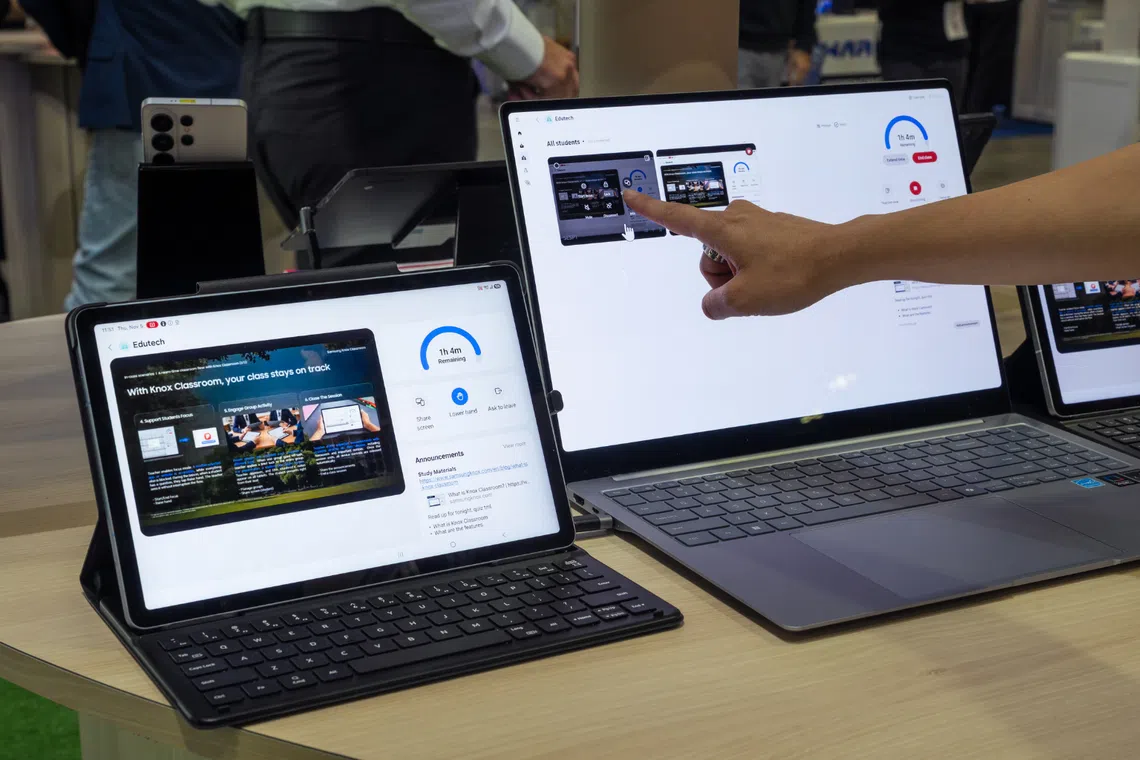
At EDUtech Asia 2026, visitors got to see the tools that Samsung Knox Classroom can provide to ensure students stay on track.
PHOTO: SAMSUNG
Maintaining digital discipline is becoming even more critical as generative AI tools become commonplace among Singapore students.
Recently released data from the international Programme for International Student Assessment 2025 (PISA) study shows that two-thirds of local students use AI chatbots to assist with learning at least once a week, while nearly half use AI to research new topics, summarise texts and draft assignments.
While these tools hold learning potential, they also present fresh challenges for schools.
Beyond content risks like AI “hallucinations”, misinformation and hyper-realistic deepfakes, widespread AI use introduces critical device security and data privacy concerns.
To address both layers of risk, Samsung has tools that help protect students and their devices.
Samsung Knox works continuously in the background to provide a secure foundation for supported Galaxy devices. Not only does it help keep sensitive student information secure, but it also offers classroom management capabilities, so that teachers can focus on teaching.
Samsung Knox Classroom, which will be available in Singapore soon, builds on this platform to give educators real-time visibility across student screens during lessons.
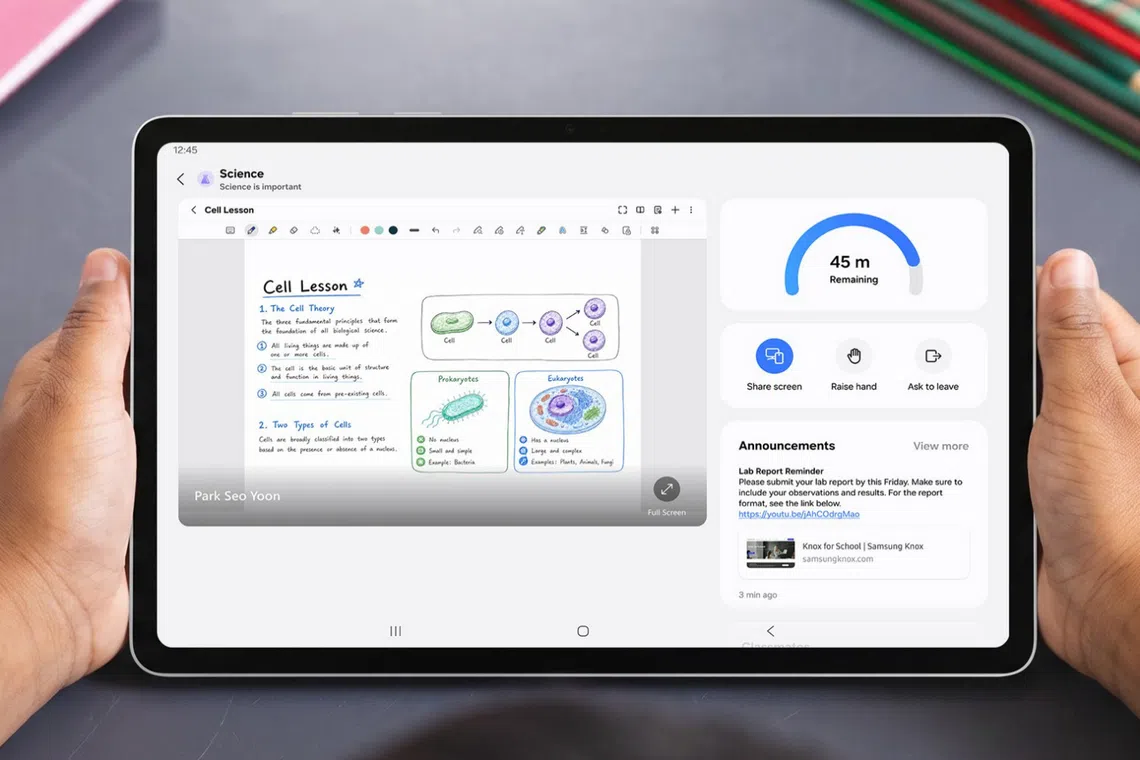
Teachers can access tools such as Knox Classroom and other partner solutions to conduct classroom activities or protect their students’ digital safety.
PHOTO: SAMSUNG
Teachers can share content, guide classroom activities, and keep students on task by using simple controls to lock screens when the class needs to refocus, or remotely operate a student’s keyboard, mouse and touchscreen to offer hands-on help.
To extend these protections beyond school hours, Samsung teams up with specialist partners, providing both educators and parents with tools to keep students safe and focused on their tablets even when they are unsupervised.
Monitoring AI usage and keeping to screen-time limits
Keeping students safe also means protecting them from potentially misleading or harmful content because of AI-powered searches.
This is where digital safety specialist Lightspeed can help. It offers on-device tools to monitor students’ AI activity, and can block inappropriate material by category and age group. It also helps keep YouTube useful for learning by allowing educational videos while blocking distractions.
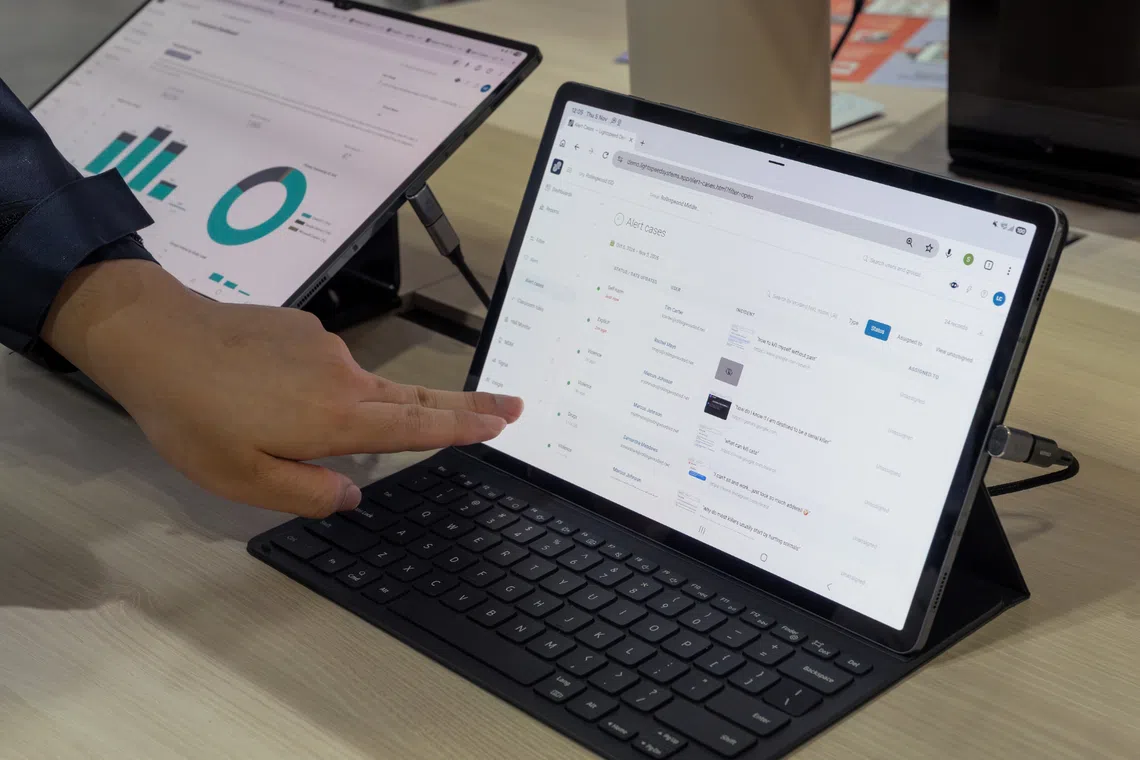
With Lightspeed, harmful and misleading content is filtered out even before students get to access it.
PHOTO: SAMSUNG
Alongside AI monitoring, managing overall screen-time limits has become a priority for educators and parents. Amid concerns about excessive screen time, the Singapore Government has issued stricter guidelines on screen use as part of a national strategy for children’s health.
Default bedtime locks on school-issued PLDs also, earlier this year, moved from 11pm to 10.30pm to curb late-night scrolling and safeguard sleep.
Managing screen time should not feel like a second job for teachers or parents. Working hand-in-hand with Samsung Knox, Boomerang applies system-level controls to supported Galaxy tablets both inside and outside the classroom.
By giving educators and parents straightforward tools to monitor and manage app usage in their respective environments, it helps ensure personal learning devices stay focused on what they were meant for: learning.
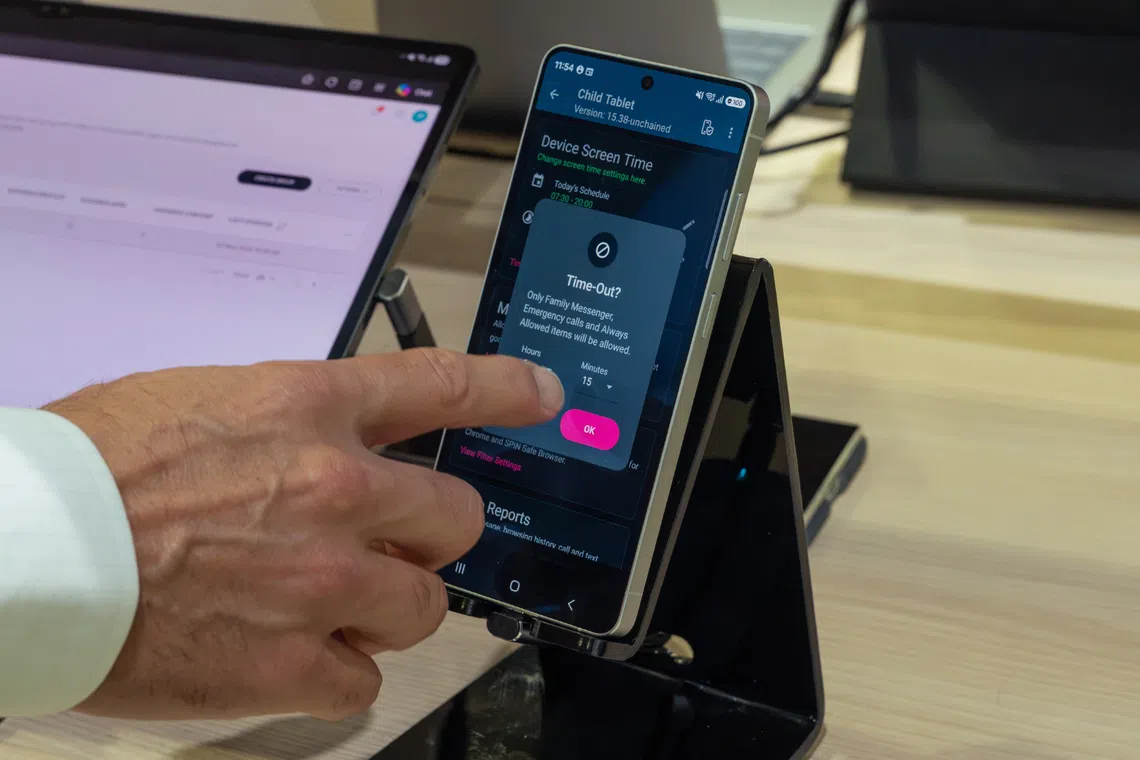
A visitor at EDUtech Asia 2026 tries Samsung’s specialist partner solution Boomerang Parental Control which helps manage students’ screen time.
PHOTO: SAMSUNG
Turning screen time into creative expression
Once safety controls and screen-time boundaries are in place, technology can shift back to what it does best: inspiring students.
Singapore-developed Hypersketch, for example, turns two-dimensional sketches into three-dimensional images, with generative AI prompting capabilities. Its school-focused web version lets students draw with the S Pen on compatible Galaxy Tab devices, combining digital creation with hands-on practice that supports fine motor skills and spatial reasoning.
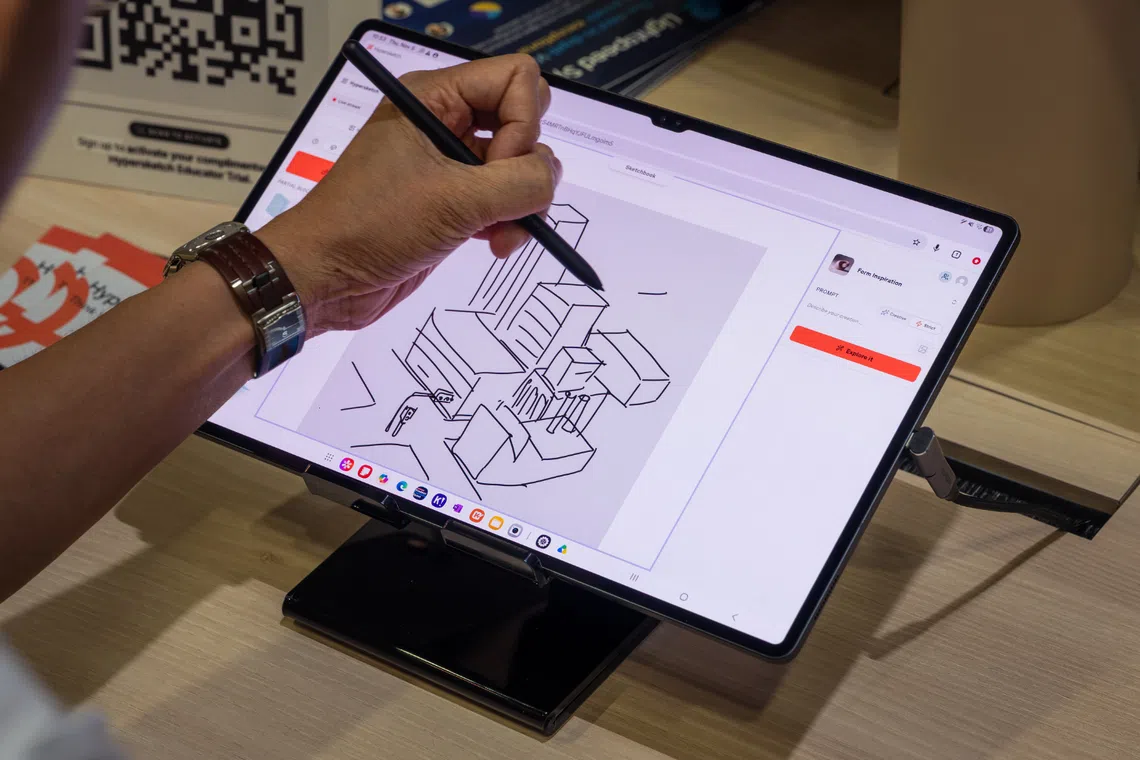
Hypersketch allows students to transform 2D drawings into 3D, allowing them to expand their creative potential.
PHOTO: SAMSUNG
For teachers, pairing intuitive hardware with tools like Hypersketch makes screen time purposeful, giving students an active creative canvas rather than a passive viewing screen.
Empowering educators and future-proofing schools
Even the most capable classroom technology depends on teachers feeling confident using it.
Since 2024, Samsung has conducted more than 50 workshops involving over 1,000 educators to build awareness of artificial intelligence and support the development of relevant digital skills.
The company also works with education-focused systems integration teams to support schools with device deployment, onboarding and ongoing technical needs.
For schools, secure classroom management is therefore not just about installing a security solution. It involves choosing devices with appropriate protections, finding the right tech partner to help configure for classroom use and equipping teachers to apply digital tools effectively.
Why the Galaxy Tab is built for the next era of learning
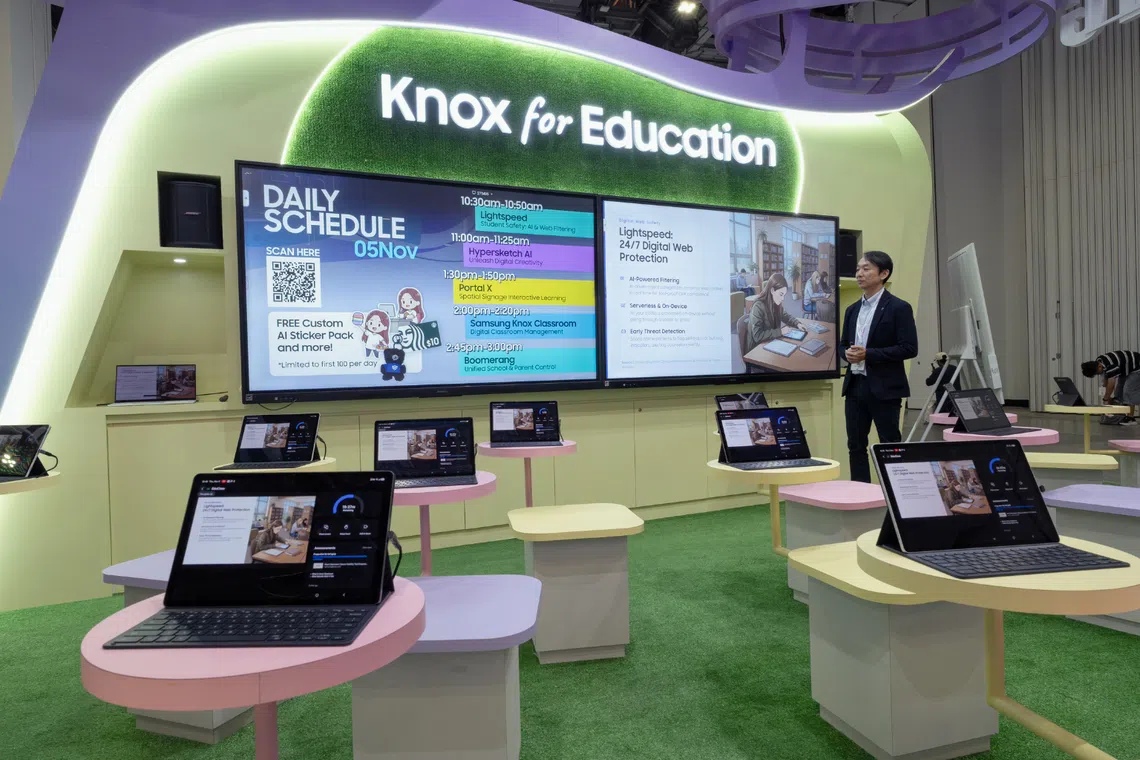
Visitors to EDUtech Asia 2026 got to experience the Galaxy Tab, a device designed to support AI for learning, with in-built security and privacy tools.
PHOTO: SAMSUNG
The Samsung Galaxy Tab series supports this through:
On-device AI and privacy: Galaxy Tab supports on-device AI, processing data locally rather than sending it to remote cloud servers that could lead to risk exposure.
Defence-grade hardware security: Galaxy Tab features hardware-backed encryption from the chip level up, protecting data against unauthorised access and malware threats.
Long-term operational lifecycle: Select Galaxy devices receive up to seven years of security updates and seven generations of OS updates, which can be customised or lengthened to meet school’s requirements.
Wacom technology: This technology allows S-pen, a wireless stylus, to be used without pairing to the Galaxy Tab or charging.
KioskNews shows a cleaned-up reading view extracted from the publisher’s page — the original always lives on their site, not ours.