Your phone's 'Airplane Mode' can save you from unexpected charges on cruise ships

A few simple steps can keep your phone online at sea without the extra charges.

Ozgurcankaya/Getty Images
Cruise ships are a fun way to see the world and explore the open seas. And while you want to remain connected when you're away, it's important to use Airplane Mode on your phone to avoid unexpected charges.
You might pay for the ship's Wi-Fi plan, but that isn't always reliable. The other options are to sign up for a roaming plan with your cellular carrier or order a travel eSIM for the destination. But you should still use Airplane Mode when the cruise ship is on the move.
Another potential problem is that because cruise ships travel through open waters, they can pick up cellular signals from different countries and regions along the way. So, while you might think you're paying for roaming in the Bahamas, your phone could pick up a signal from Cuba long enough to trigger a charge along the way. The result is an unexpectedly high bill for roaming in a country or region you technically didn't visit but came near.
How you might be charged without Airplane Mode

Maridav/Shutterstock
The farther a cruise ship gets away from land, the weaker its connection to land-based cellular towers. That's when the ship switches to a maritime cellular network, which is used in international waters. Once your phone connects to a maritime cellular network like Cellular at Sea (often shown as "901"), your standard cell phone plan no longer applies, and your carrier will charge you roaming rates whether you meant to connect or not.
Even if you bought the ship's Wi-Fi plan, your phone can still connect to the maritime network unless you switch on Airplane Mode. As a bonus, Airplane Mode also helps your phone charge a bit faster.
Cruise ship Wi-Fi is getting better, with many cruise lines now offering Starlink internet, which rivals 5G for speed. But just as your phone may toggle between Wi-Fi and cellular at home depending on which signal is stronger, it can do the same on the ship if your cellular connection is still active. To avoid that, turn on Airplane Mode, then turn Wi-Fi back on. Your phone will stay off the cellular network but still connect to the ship's Wi-Fi.
Carriers charge the roaming fee the second the device connects to another network, even if you don't use your phone to make phone calls, send text messages or access the internet. Your phone likely has things going on in the background, such as receiving messages, auto-refreshing emails and updating apps. All of these will trigger a connection and potentially massive charges when you get home.
The solution is simple
Camilo Concha/Shutterstock
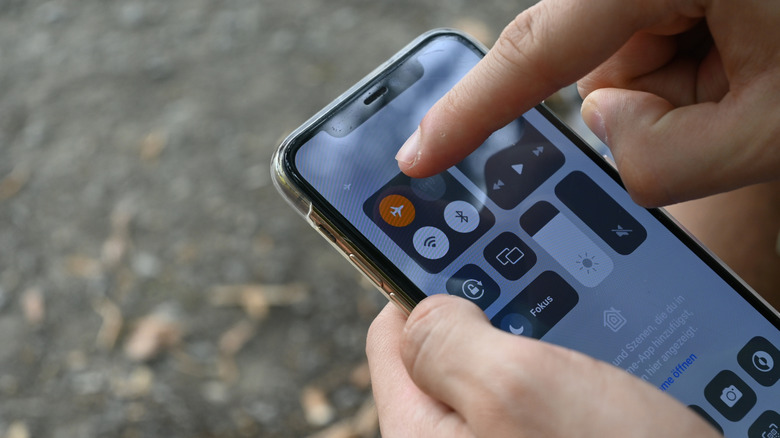
If you've purchased a roaming plan or are willing to pay daily roaming rates at your destination, turn off Airplane Mode only once you've arrived in port and turn it back on before reboarding. Alternatively, you can turn off your main phone line altogether to prevent an inadvertent connection without using Airplane Mode.
The steps may be slightly different depending on your device, but on an iPhone, go to Settings > Cellular > SIMs. Choose your primary SIM if you have others, such as travel eSIMs, on the list. Then turn off the Turn On This Line option; you can turn it back on once you're back in port. You could also simply turn off Data Roaming from this same menu, but Airplane Mode is your safest and simplest bet without having to adjust device settings.
Another option is to look into special plans from your carrier. Verizon, for example, offers a Cruise Daily Pass that gives you 24 hours of connectivity for a set fee while you're on board a covered cruise ship. AT&T's International Day Pass affords access on land and at sea for one daily rate when traveling on certain cruise ships to specific destinations. These may be cheaper than the cruise ship's Wi-Fi plan or maritime cellular and give you peace of mind.
Otherwise, put your phone into Airplane Mode while you're en route to disconnect and enjoy your cruise. You can still use your phone as a camera and access offline functions, including the cruise line's app.
KioskNews shows a cleaned-up reading view extracted from the publisher’s page — the original always lives on their site, not ours.