CSSでテーマ設定を行いMermaidダイアグラムをSVGとしてレンダリングする軽量なオープンソースライブラリ「Pele」をObsidianの作者kepanoがリリース

PeleはMermaid記法で記述された図をSVG形式にレンダリングするための軽量なオープンソースライブラリです。特徴の一つにCSS変数ベースのテーマ機能があり、図の見た目を簡単にカスタマイズできます。
Pele · Mermaid diagrams as themeable SVG
https://pele.run/
GitHub - obsidianmd/pele: Renders Mermaid diagrams faster than you'd run from a volcano! 🌋 · GitHub
https://github.com/obsidianmd/pele
Peleの作者であるkepano氏のポストはこちら。
— kepano (@kepano) October 17, 2026This is Pele, my new rendering library for diagrams and charts, compatible with the latest Mermaid syntax.
- 100-500× faster than mermaid.js
- 6× smaller bundle
- No dependencies
- Easy to theme
- Responsive to device widthIn pursuit of making Obsidian insanely fast and cohesively designed, I always found the Mermaid library to be too big, too slow, and too hard to theme. Pele will be the new renderer in the next version of Obsidian, but you can start using it now.
Pele [ˈpɛlɛ] is named after the goddess of volcanoes and fire. It's open source under the MIT license. Try the playground!
上のポストを引用した「オリジナルのMermaidより速く動くものを作ってみただけなら、これを使いたいとは思わないかもしれない」というポストも見られましたが、kepano氏はパフォーマンスよりもセキュリティ面に問題意識を持ったのが作成のきっかけであるとコメントしています。なお、kepano氏はObsidianの開発元であるDynalistのCEOであり、ObsidianとMermaidとの統合に尽力した張本人でもあります。
— kepano (@kepano) October 17, 2026Respectfully, do your research. It's the opposite.
Mermaid.js has transitioned to "https://t.co/Zd5q1pO13u" and is losing its original vision. Take a look at their new site.
I have been maintaining open source projects for years. Take a look at my GitHub history and projects here: https://t.co/GAFXTLWexf
I have been writing themes for Mermaid for six years, look at my commits on Minimal.
Mermaid.js has been in Obsidian since July 2020 (0.7.6).
I know the library extremely well since we've upgraded it 15 times, from Mermaid 8.5.2 to 11.13.0. Obsidian has millions of users telling us exactly what they want out of a diagramming/charting, and that's what I am prioritizing: performance, safety, theming, mobile-friendliness.
The latest version of Mermaid (12.1) ships with yet another layout engine (three now), and has a questionable safety record (see CVEs). In Obsidian 1.13 we had to introduce a new toggle/warning because of potential unsafe Mermaid diagrams.
I don't really care if you use Pele or not, but that's not a good reason.
Peleの主な特徴は以下の通りです。
・軽量性:小さなバンドルサイズと直接依存関係ゼロ
・高速レンダリング:Mermaid.jsと比較して大幅に短いレンダリング時間
・CSSテーマ:CSS変数を使用した簡単な外観カスタマイズ
・レスポンシブデザイン:小さなモバイル画面への対応
・オープンソース:無料で利用・改変可能
高速レンダリングについては公式サイトの「Playground」のページで実際に確認することができます。
Playground · Pele
https://pele.run/playground
サイトを開くと画面左側にMermaid記法があり、画面右側に対応するフローチャート図が表示されています。PeleとMermaidを比較するには画面右側の上部にある「Compare」をクリックします。
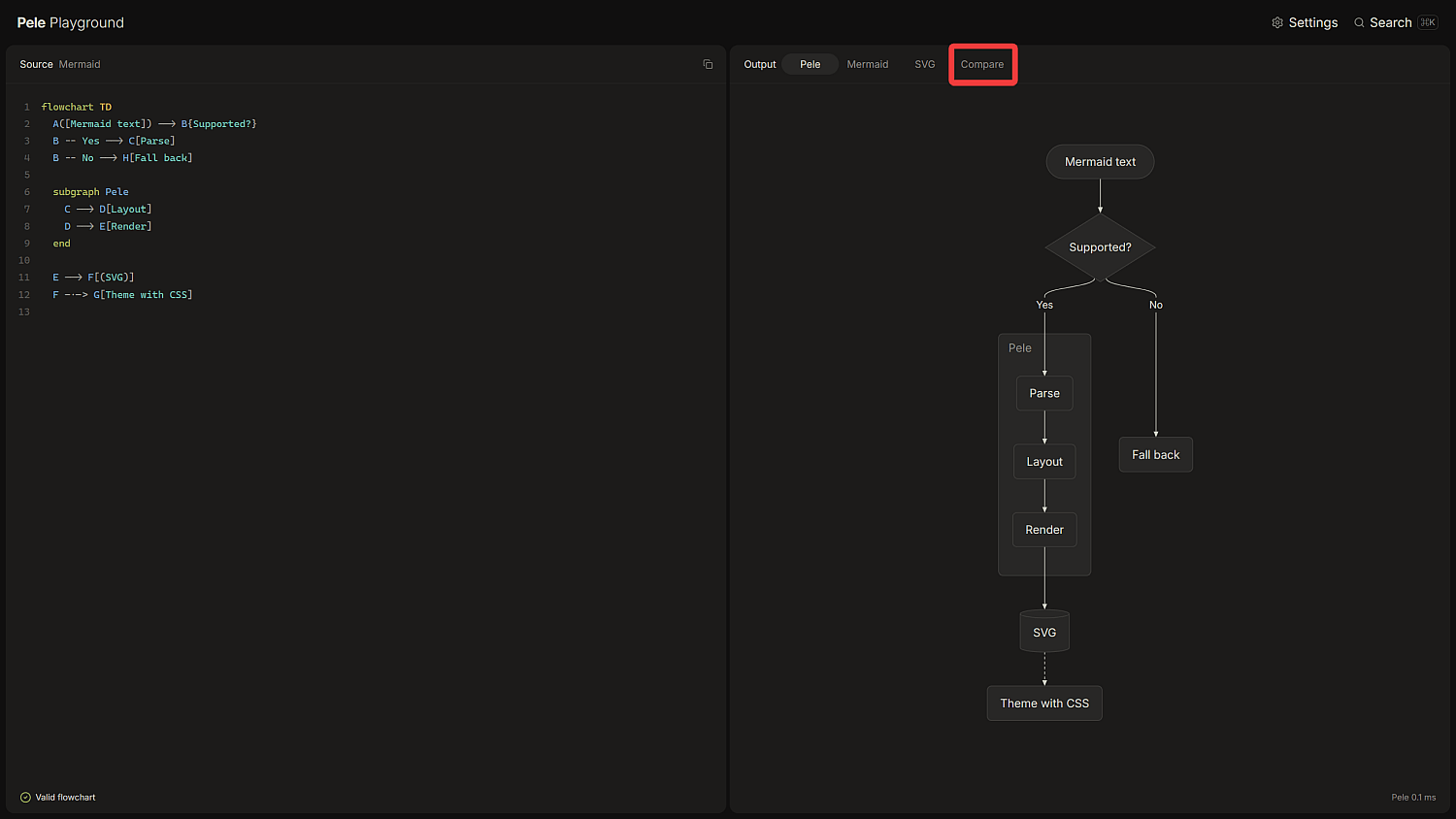
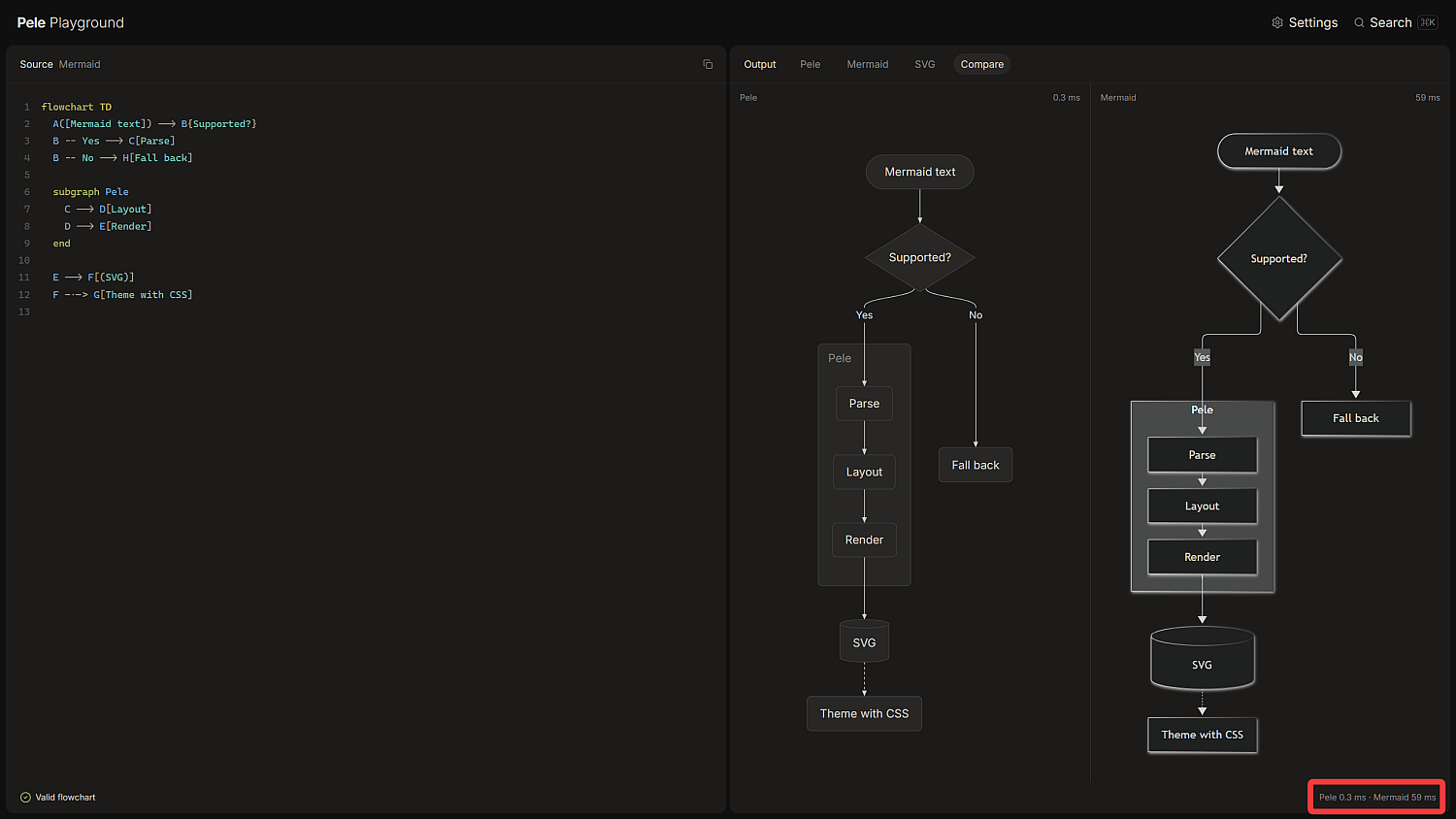
PeleとMermaidが作成したフローチャート図が併記され、画面右下にそれぞれの所要時間が表示されます。Mermaidの59msに対してPeleは0.3msなのでパフォーマンスの差は圧倒的です。
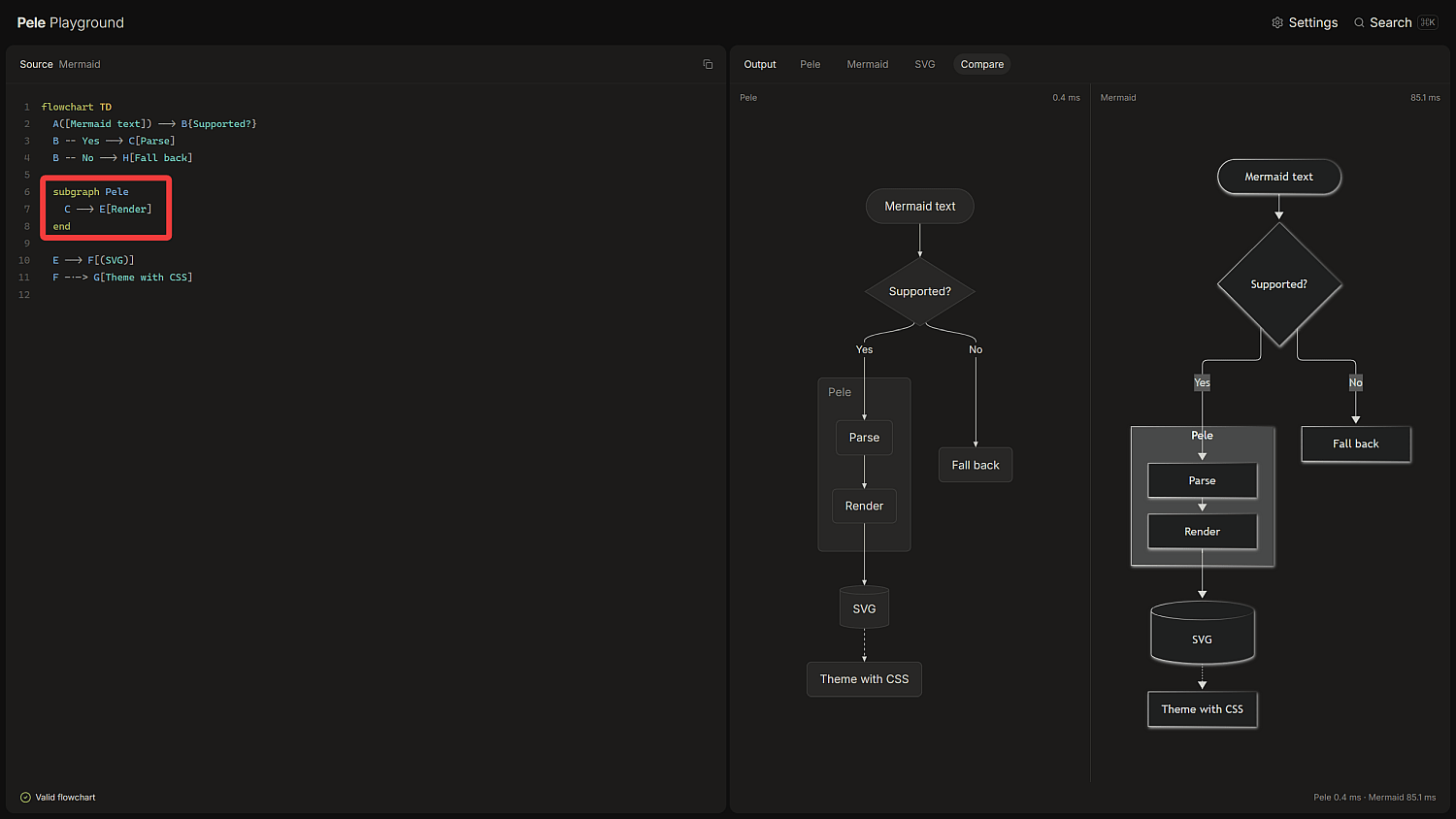
Mermaid記法の一部を変更し、変更の反映にどれくらいかかるかを見ることもできます。ただし、「Compare」を解除して「Pele」と「Mermaid」でそれぞれ確認した方がより違いを実感できます。
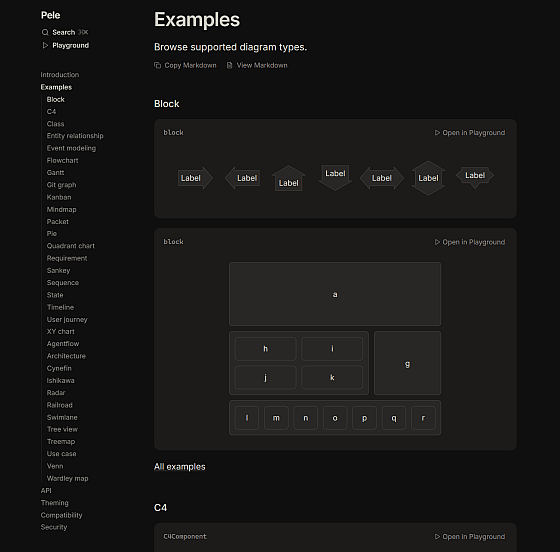
Peleが作成可能な図については「Mermaid12.1.0に組み込まれているすべての図の種類」とされています。
| 図 | キーワード |
|---|---|
| フローチャート | graph, flowchart |
| スイムレーン図 | swimlane-beta |
| シーケンス図 | sequenceDiagram |
| クラス図 | classDiagram |
| ステート図 | stateDiagram, stateDiagram-v2 |
| ER図 | erDiagram |
| ガントチャート | gantt |
| Gitグラフ | gitGraph |
| 円グラフ | pie |
| マインドマップ | mindmap |
| カンバンボード | kanban |
| タイムライン | timeline |
| ユーザージャーニー図 | journey |
| クアドラントチャート | quadrantChart |
| XYチャート | xychart, xychart-beta |
| 要件図 | requirementDiagram |
| サンキー図 | sankey, sankey-beta |
| アーキテクチャ図 | architecture-beta |
| C4モデル | C4Context, C4Container, C4Component, C4Dynamic, C4Deployment |
| ブロック図 | block, block-beta |
| エージェントフロー | agentflow-beta |
| 鉄道図・構文図 | railroad-beta, railroad-ebnf-beta, railroad-abnf-beta, railroad-peg-beta |
| ツリービュー | treeView-beta |
| Cynefin | cynefin-beta |
| Wardleyマップ | wardley-beta |
| イベントモデリング | eventmodeling |
| ユースケース図 | usecase-beta |
| ベン図 | venn-beta |
| 石川ダイアグラム | ishikawa, ishikawa-beta |
| パケット図 | packet, packet-beta |
| レーダーチャート | radar-beta |
| ツリーマップ | treemap, treemap-beta |
Peleをnpm経由でインストールするには、以下のコマンドを実行します。
npm install pele
もしくはCDNから読み込みます。
<script src="https://cdn.jsdelivr.net/npm/pele@1/dist/pele.global.js"></script>
Peleの基本的な使い方はrender()関数を用いてSVG化したダイアグラムをHTML要素内に設定します。
import { render } from 'pele';
const { svg } = render(`flowchart LR A[Mermaid text] --> B[SVG]`);
document.querySelector('#diagram').innerHTML = svg;
また、ブラウザ環境ではmount()関数を使用すると「要素へのレンダリング」「CSSからのフォント読み込み」「コンテナ幅に合わせたレイアウト調整」が自動で行われます。
import { mount } from 'pele';
const diagram = mount(container, source);
Peleの特徴の一つに「CSS変数を使用して外観をカスタマイズできる」というものがあります。
| CSS変数名 | デフォルト値 | 用途 |
|---|---|---|
| --pele-bg | #ffffff | 背景色 |
| --pele-fg | #1f1f1f | テキスト色 |
| --pele-muted | #6e6e6e | 二次テキスト色 |
| --pele-line | #1f1f1f | エッジと矢印の色 |
| --pele-surface | #f3f3f3 | ノードの塗りつぶし色 |
| --pele-surface-alt | #e6e6e6 | サブグラフの塗りつぶし色 |
| --pele-border | #8a8a8a | ノードとサブグラフの境界線色 |
| --pele-accent | #5b7bd5 | ハイライト色 |
| --pele-critical | #e45756 | ガントチャートのクリティカルタスク、カンバンボードの高優先度など |
| --pele-error | #e45756 | mount()が表示するエラー |
| --pele-font | コンテナのデフォルトフォント | ラベルのフォント |
| --pele-font-mono | コンテナのデフォルトフォント | モノスペースラベルのフォント |
| --pele-title-weight | bold | ダイアグラムのタイトル |
| --pele-heading-weight | bold | クラス名やセクションラベルなどの見出し |
| --pele-bold-weight | bold | ラベル内の太字テキスト |
| --pele-radius | 4px | 丸みを帯びたシェイプの角丸半径 |
CSS変数はルートの<svg>要素および<svg>要素に含まれる任意の要素に設定できます。
.pele {
  --pele-bg: #fffcf0; /* 背景色をオフホワイトに変更 */
  --pele-fg: #100f0f; /* テキスト色をダークグレーに変更 */
}

/* ダークモード用の設定例 */
@media (prefers-color-scheme: dark) {
  .pele {
    --pele-bg: #100f0f; /* ダークモードの背景色 */
    --pele-fg: #cecdc3; /* ダークモードのテキスト色 */
  }
}
peleクラス以外にも以下のクラス名が設定に使用可能です。
| クラス名 | 要素 |
|---|---|
| pele | 全てのダイアグラムのルート<svg> |
| pele-flowchart | フローチャートのルート<svg> |
| pele-title | ダイアグラムのタイトル |
| pele-node | ノードの形状とラベルを含むグループ |
| pele-edge | エッジの線とマーカーを含むグループ |
| pele-edge-label | エッジ上のラベル |
| pele-cluster | サブグラフ |
| pele-cluster-label | サブグラフのタイトル |
| pele-label | ノードラベルのテキスト |
| pele-marker | 矢印などのエッジマーカー |
| pele-icon | アイコン |
例えば、data-idが"start"のノードのラベルにアクセントカラーを適用するには以下のようにします。
.pele-node[data-id="start"] .pele-label {
  fill: var(--pele-accent);
}
Peleの目標の一つにSVGダイアグラムを安全にレンダリングするというものがあり、SVG形状・テキスト・リンク・画像の生成は行うものの、スクリプト・イベントハンドラ・HTMLラベルへの変換は行いません。JavaScriptコールバックは無視され、クリックステートメント内のものは一切実行されません。また、リンクにhttp・https・mailto・telのURLスキームのみを許可し、画像にhttp・httpsのみを許可します。すなわち、「//host/share」のような他のURLスキームやネットワークパスはデフォルトでブロックされます。
PeleはMermaidダイアグラムを非常に高速かつ安全にレンダリングできる軽量で依存性のないライブラリであり、ウェブアプリ開発におけるダイアグラム表示の強力な選択肢として期待が持てます。
KioskNews shows a cleaned-up reading view extracted from the publisher’s page — the original always lives on their site, not ours.