Logitech releases the MX Keypad to keep idle fingers busy
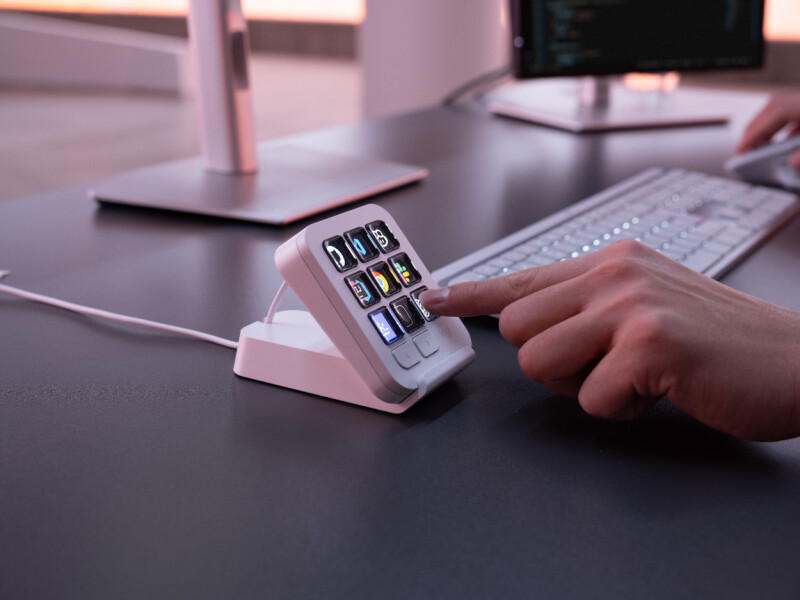
It looks like you're trying to write some code. Perhaps a shortcut is in order?
Logitech has released the MX Keypad, a developer-focused keypad derived from its MX Creative Console, and something that triggers a distinct sense of déjà vu.
Do you remember Stack Overflow's "The Key" Joke? Three keys to copy and paste code from the developer's former best friend (until AI tools began to eat its lunch).
Logitech took the keypad from its MX Creative Console product and made something similar to Stack Overflow's joke-that-became-a-thing, though considerably more extensible. The company sent us one to look at, and it's an interesting, if perhaps slightly expensive, bit of kit.
REG AD
At its heart, the MX Keypad is a set of nine keys that can trigger commands. Out of the box, it all looks a bit bland – there are monochrome images on the keys for playback, volume, screenshot taking, and even something to bring up an emoji panel when attached to a Windows device.
REG AD
However, things get a good deal more colorful and interesting when the device is connected to the Logi Options+ application. Then the device moves from being a curiosity to something that threatens to be indispensable, depending on your workflow. Using Word to knock out some writing? The MX Keypad will show a bunch of commonly used commands, or you can customize it to suit your workflow. How about Visual Studio Code? It's the same again – the keys light up with some default commands that you can easily make your own.
According to Logitech, the device is a "Multi-App AI Control Center for Developers" and was developed in conjunction with keyboard jockeys. We'd call it a surprisingly useful bit of kit which has rapidly become part of our workflow, both for productivity and when diving into VS Code for some source wrangling.
There are, of course, downsides. Although the price is relatively competitive, it is a little on the high side for what is ultimately a smart macro keypad. It also requires a USB-C connection, which we can understand given the power needs of those bright, backlit, color LCDs, but it would have been nice if Logitech could have come up with something that didn't need a cable. And, of course, you need Logitech's software to get the best out of it.
In the box is the keypad itself, a USB-C cable, and a stand. We preferred to position it on the desk next to the keyboard for ease of access – the device has a slightly angled base, so it works well in that placement, but the inclusion of a stand is a nice touch.
There's also an SDK if engineers (or their agents) wish to get their hands dirty, and a marketplace where plugins for the likes of Claude Code and OpenAI Codex can be found. According to Logitech, these give developers "real-time agent status tracking and CLI control right on the physical keys."
Assuming you can make it work. We found the Logi Options+ software a little unintuitive and recommend some perseverance to get the best out of it, along with a little caution, since the built-in designer can create some deeply wince-inducing key designs.

Ultimately, the MX Keypad represents some excellent repurposing by Logitech. The original MX Creative Console was useful for creative types, but its jog wheel was arguably of little use to developers. The touch panel, with its customizable keys, is a much more practical proposition; by selling it on its own, Logitech has cut the price to £89.99 ($99.99). It comes in light or dark gray and has a pleasingly quality feel.
Having to plug it in is annoying, given the wireless nature of many other peripherals, and you do need to get to grips with the Logitech Options+ application to get the best out of it, but once it forms part of your workflow, it becomes a hard habit to break. ®
KioskNews shows a cleaned-up reading view extracted from the publisher’s page — the original always lives on their site, not ours.