Sonos put speaker controls on your iPhone's lock screen (again)
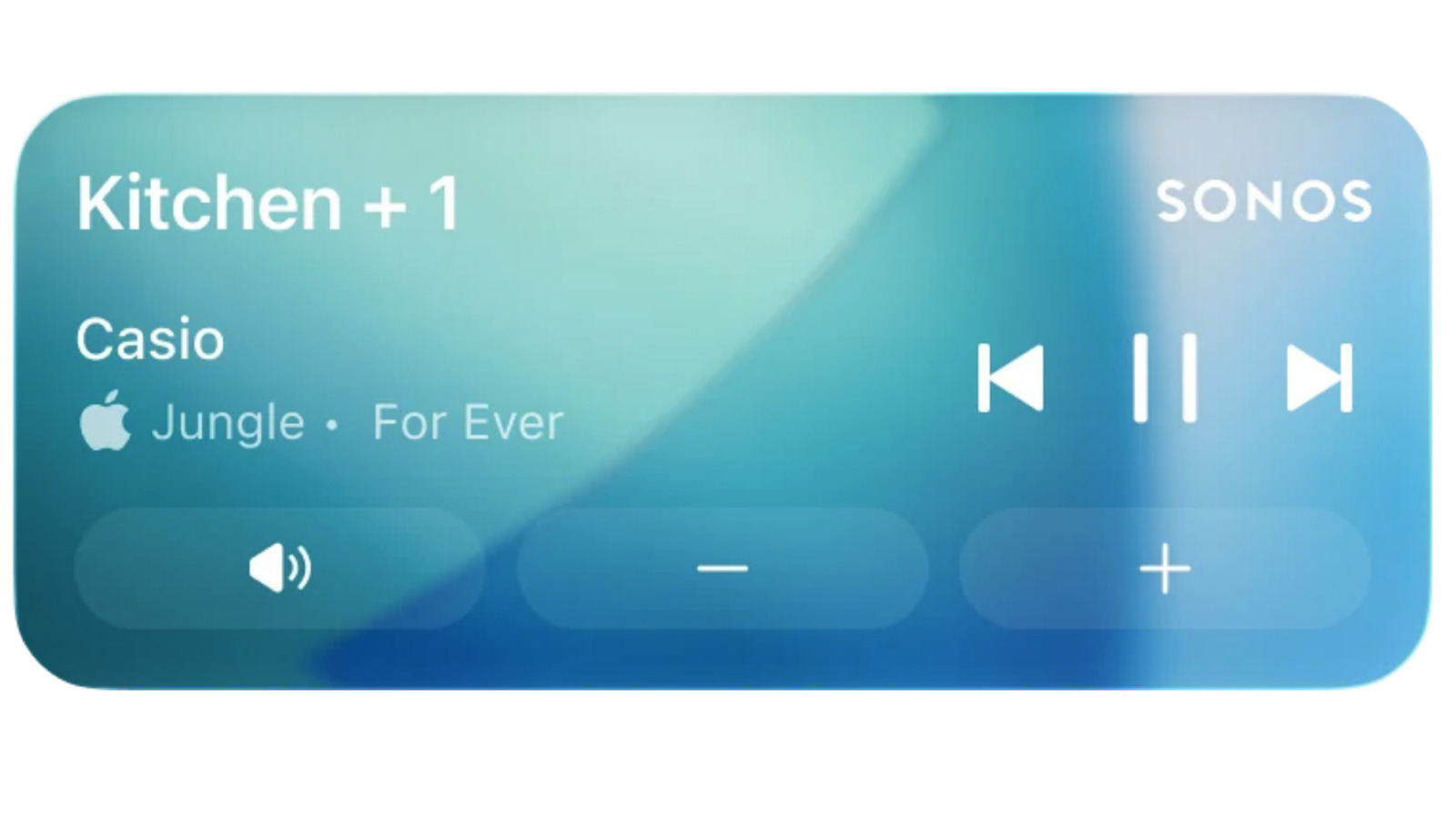
There's an app update that takes advantage of Apple's Live Activities system.
Sonos just released an app update that brings speaker controls to the iPhone lock screen. This is thanks to an integration with Apple's Live Activities notifications system. Sonos is calling this a "much requested, anticipated and needed feature."
Once enabled, the lock screen will let people keep an eye on what's playing. Users will be able to adjust the volume and switch songs, but only once the phone has been unlocked via Face ID or a passcode. When playback stops, the live activity will disappear from the lock screen after 15 minutes.
There are a couple of caveats. The integration doesn't allow the Sonos app to display album art on the lock screen. The company says it's exploring "alternative ways to enhance" the experience. This feature will work in CarPlay and on Apple Watch, but "right now the controls aren't supported." That means that users will be able to see what's playing, but not make any adjustments.
If this all sounds familiar, it's because Sonos fans used to be able to do this type of thing. The company introduced lock screen controls back in 2016. However, the feature went away in 2023 because the method Sonos used to integrate with the lock screen didn't align with Apple's updated design framework.
Shortly after that, Sonos rolled out a disastrous redesign of its app. It was missing all kinds of crucial features, so re-initiating lock screen support took a back seat to stuff like, uh, fixing the volume controls and handling connection failures.
Experience new updates and stability improvements on your Sonos system with Sonos app update version:
80.16.32 (iOS)
80.16.32 (Android)- Ability to create zones for select players
- Ability to snooze an alarm within the app
- Updates to System Settings management to showcase... pic.twitter.com/VkaC4xsJuk— Sonos (@Sonos) January 28, 2025
However, the company promised to fix the app and it has been doing just that. It released a bunch of software updates that addressed nearly every concern that users had when the redesign launched in 2024. This included adding an improved queue management system, a reliable local library and many other core features. Now, Sonos has finally gotten around to lock screen support.
KioskNews shows a cleaned-up reading view extracted from the publisher’s page — the original always lives on their site, not ours.