GoogleがGemma 2・Gemma 4などのAIアシスタントで会議を記録するmacOSノートアプリ「Google AI Edge Foresight」リリース
Meet Google AI Edge Foresight, our newest Labs app (https://t.co/IyRiJWZd7W), offering an ambient note-taking meeting companion and personal knowledge assistant for Mac. Your audio, transcripts and sensitive files in your personal knowledge base never leave your device courtesy of local processing with EmbeddingGemma2 & Gemma4 suite of models.
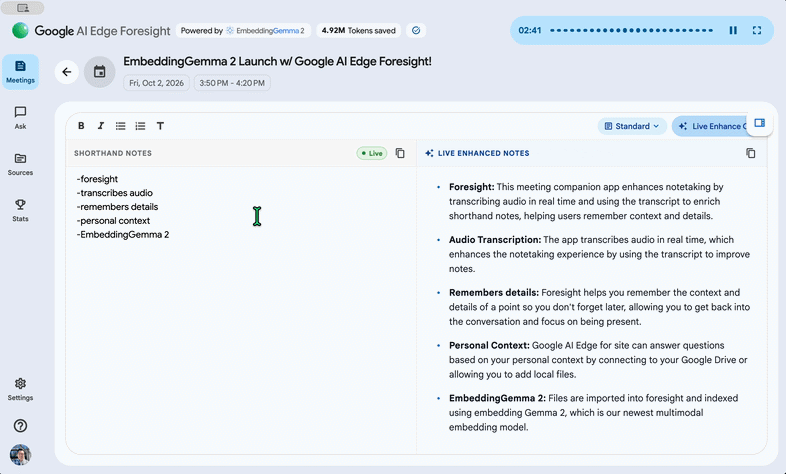
- Live Notes Enhancement: Jot down quick shorthand notes during a meeting and Foresight enriches it in real time using the live meeting conversation.
— Suril Shah (@surils) October 7, 2026- Ambient Audio Query Detection: Detects questions spoken aloud mid-meeting and surfaces answers live.
- Blazing-Fast Grounded Responses: Point it at your local project folders, docs, transcripts or Drive account for instant cross-modal retrieval and Q&A.
Google AI Edge ForesightはMacのシステム音声とマイクから音声を取得するため、特定のビデオ会議サービスに依存しません。録音した音声を文字起こしするだけでなく、会議中にユーザーが書き込んだ簡単なメモを、会話の内容に基づいて詳しいノートへと自動的に補完できます。
例えば、会議中に重要なキーワードや短い文章だけを書き留めておけば、AIが会議の文字起こしから関連する情報を探し出し、詳細なノートにまとめてくれます。画面には手書きならぬ手入力のメモとAIによって整理されたノートを並べて表示でき、会議の内容を確認しながら記録を整理できます。
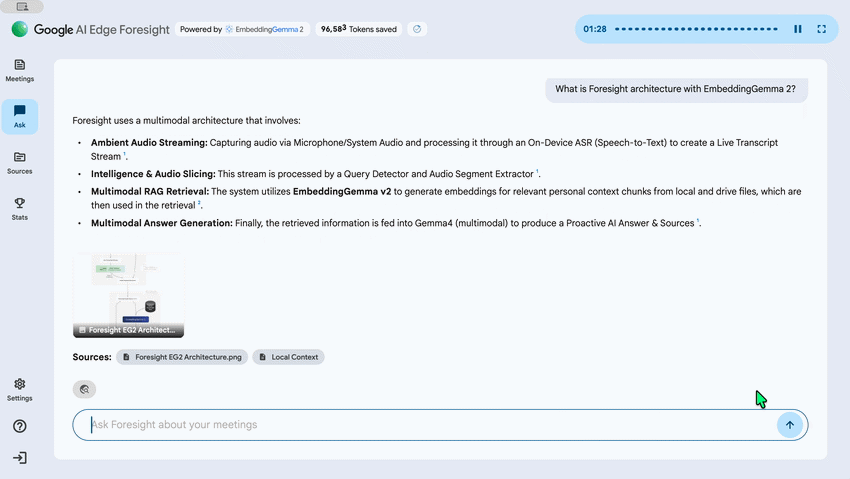
また、Gemma 4を利用したAIアシスタントも搭載されています。ユーザーは会議の内容について自然な言葉で質問でき、AIが文字起こしや保存された資料を参照して回答します。Googleによると、会議中に出てきた質問をAIが検出し、その場で回答する機能も備えているとのこと。
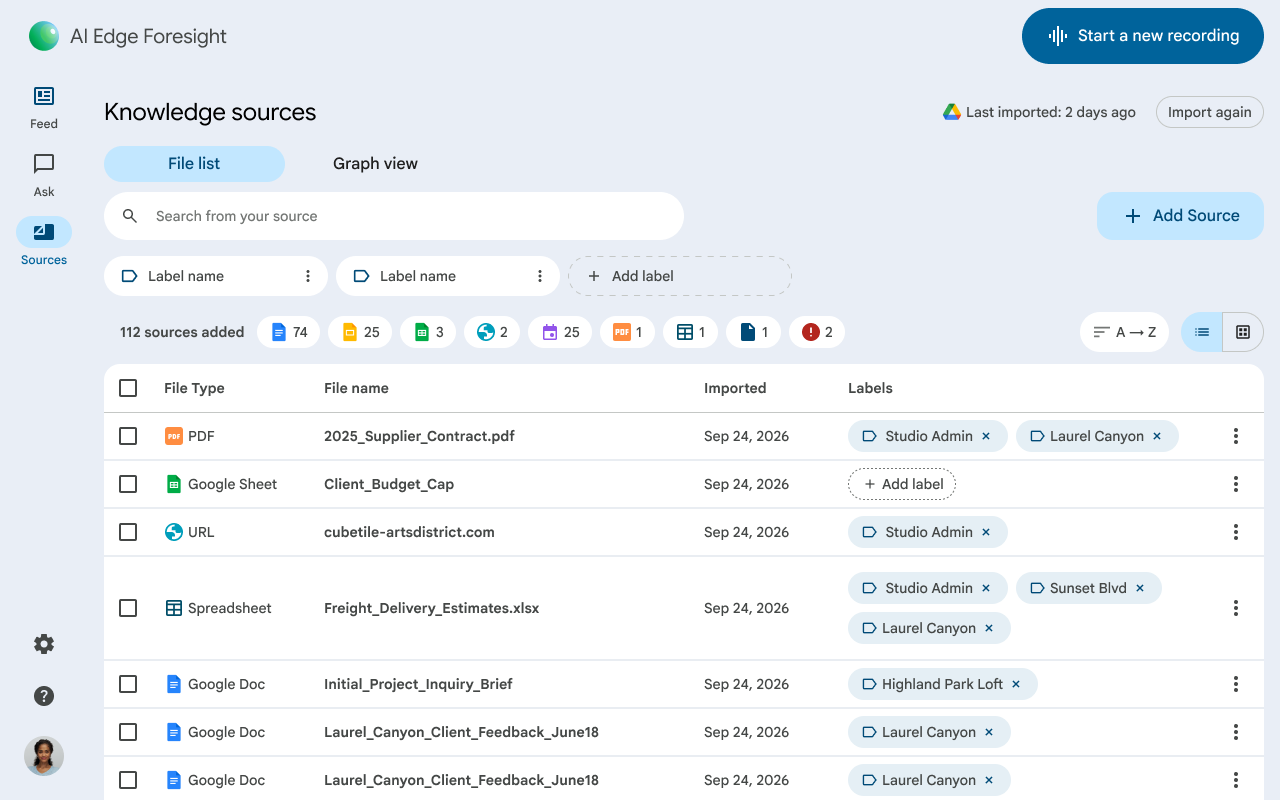
Google AI Edge Foresightには、PDF、Googleドキュメント、Microsoft Office形式のファイル、テキスト、Markdown、ウェブのブックマークなどを取り込む機能もあります。取り込んだ資料を個人用の知識ベースとして活用でき、会議中に話題となった内容と関連する情報を探したり、過去の会議記録と照らし合わせたりすることが可能です。
Google AI Edge Foresightの大きな特徴は、これらの処理がすべてMac上で完結することです。会議の音声、文字起こし、メモ、取り込んだ資料をクラウドに送信する必要がなく、インターネットに接続できない環境でも利用可能。Googleは、機密情報を端末内に保持できるほか、クラウドサービスのサブスクリプション料金も必要ないと説明しています。
Google AI Edge ForesightはGoogleの開発者向けサイトで無料公開されていますが、記事作成時点では実験的なアプリという位置付けです。
KioskNews shows a cleaned-up reading view extracted from the publisher’s page — the original always lives on their site, not ours.