Mozilla Thunderbird email service edges closer to launch with early access

Some waitlist members get a first look at Thundermail, a paid alternative to Gmail
The Mozilla-backed Thunderbird project is getting closer to a wider launch of a hosted email service designed to complement its desktop mail app.
Now known as Thundermail (what else?), the service was originally developed under the Thunderbird Pro banner, which encompassed paid email, appointment scheduling, and file-sharing services designed to generate additional revenue for the organization.
The org has been inviting people from its Thundermail waitlist to try the service through an early-access program, and this writer just happened to be among them.
REG AD
Thundermail offers a web-based email interface and can also be accessed through the Thunderbird desktop app, the Thunderbird mobile app for Android, or other compatible email clients. The Thunderbird apps remain free.
REG AD
Users get an inbox with up to 15 email addresses and three custom domains, plus 30 GB of mail storage and 60 GB of send storage for Thunderbird Send, an end-to-end encrypted file-sharing and large-attachment service. That’s for starters – the org intends to offer those extra features and services at different price points.
Yes, Thundermail is a paid service, which may put off some users who are used to free email accounts offered via Gmail, Outlook.com and Proton Mail, but with the first two of those you do get served ads along with your messages.
The sign-up screens for Thundermail suggest the basic service will cost $6 per month, billed annually. This is roughly equivalent to the £55 we paid for a year on the early access program.
We asked Thunderbird when we can expect to see Thundermail officially launched and open to all comers. We will update if we get an answer. It previously said that a full launch is expected sometime in 2026.
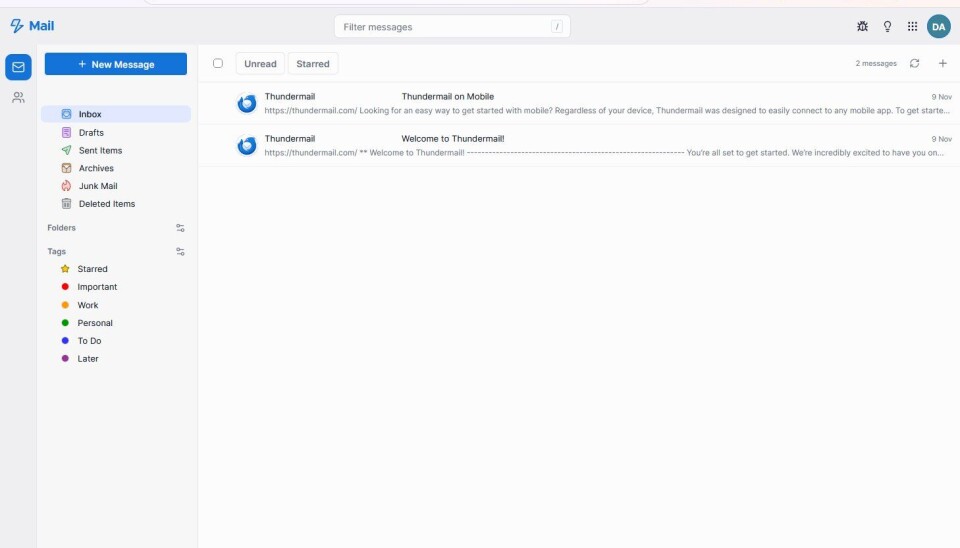
The web-based user interface of Thundermail presents a fairly clean and uncluttered look, and could be likened to Gmail with the screen partitioned into a pane with folders on the left and a larger one to the right displaying messages.
A welcome screen introduces you to the features of Thundermail, which include the ability to work on several drafts at once, schedule delivery times for emails, create folders to arrange messages, contact lists and identities – all pretty much standard for an email system.
We haven’t really had the time to test out Thundermail a great deal since signing up, but there are no great surprises so far, and everything works pretty much the way you would expect it to.
Firefox and the Thunderbird mail client both recently moved to a fortnightly release schedule in line with Mozilla’s plans, and Thunderbird itself gained support for Microsoft’s Exchange late last year. ®
KioskNews shows a cleaned-up reading view extracted from the publisher’s page — the original always lives on their site, not ours.