Oh no, what happened to my OOHPod? Windows command prompt puts in a surprise appearance
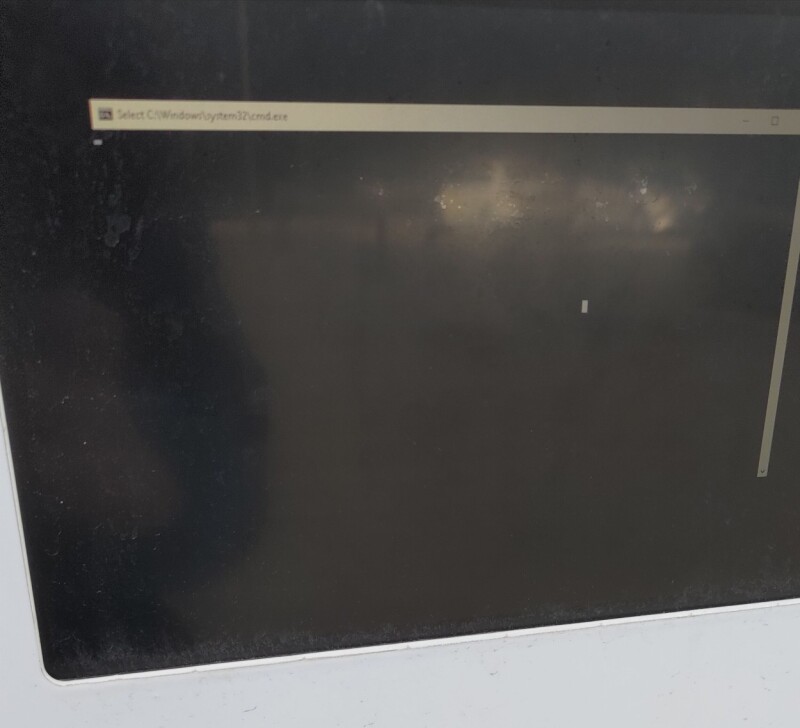
Pop quiz: somebody left a command shell logged in. What do you do?

The Windows command line is a marvelous thing, beloved by administrators, but not quite so welcome when you're trying to get a parcel out of a locker.
Today's example of Windows behaving badly comes from Ireland and one of the nation's OOHPod postal lockers. An eagle-eyed Register reader, trying to retrieve a parcel, found the locker screen instead teasing a command prompt.
For the uninitiated, OOHPod is a service where people retrieve and deposit goods in lockers. Scan your ID (or enter it on a touch screen) and the appropriate locker door springs open and the item (or items) can be retrieved.
REG AD
This all works, assuming whatever is running behind the scenes isn't having a bit of a moment, as our reader experienced. Instead of a welcoming display on the locker's screen, our reader found a blank screen and what looked suspiciously like a minimized command-line window.
REG AD
"I tapped to maximize the window," they told us, "and a sudden command prompt appeared immediately afterward."
A command prompt? More like an open invitation for mischief for the average Register reader. After all, while ordinary customers might have been flustered, this was surely an opportunity to teach the engineers who allowed it a lesson.
Perhaps a cheeky FORMAT, or possibly the creation of a truly cursed batch file? Or something worse? This is surely what the comment section is made for.
Unfortunately (or fortunately, depending on your perspective), no pop-up keyboard appeared for our reader to unleash havoc (not that they would dream of such a thing), and there was no handy socket to plug in a peripheral. The touchscreen accepted another finger jab, and the command window went away, replaced by the usual OOHPod interface, allowing packages to be collected as normal.
It was the responsible thing to do, and the bank of lockers was left in a state where the next customer would not have to worry about what this odd cmd.exe thing was all about.
However, the question remains. Would you have been so responsible? Or, if there was some way to enter commands, would you have tried to turn a minor bork into a life lesson for the engineer who let Windows give passersby a glimpse of its undercrackers? ®
KioskNews shows a cleaned-up reading view extracted from the publisher’s page — the original always lives on their site, not ours.