Keychron Thunderbolt 5 Dock review: Unusually sensible
A company that’s best known for keyboards makes a strong entry into the high-end dock world.
James Trew for Engadget
RATING : 8.3 / 10
- Excellent build quality
- Comprehensive connectivity
- Strong HDMI support
- No internal SSD bay
- Lacks DisplayPort connectivity
We may receive a commission on purchases made from links.
Keychron is best known for its mechanical keyboards that democratized higher-end customization and functionality. The company expanded that philosophy into mice with similar success. The next desk peripheral in the company's crosshairs is the PC/laptop dock. As more PCs and laptops adopt Thunderbolt 5 at the expense of broader connectivity, the appeal of a single-cable do-it-all expansion is becoming stronger.
Keychron's Thunderbolt 5 Dock is much more capable than its utilitarian name suggests. Yes, it's a dock and it delivers comprehensive connectivity, with a focus on Intel's powerful alternative to the dominant USB 3 interface. That means 80Gbps data transfers (with 120Gbps boost mode), dual 8K monitor support and 140W upstream power delivery — enough to keep most laptops running. The question is, can Keychron's success in the keyboard world translate seamlessly to other areas of productivity?
Power and ports
James Trew for Engadget
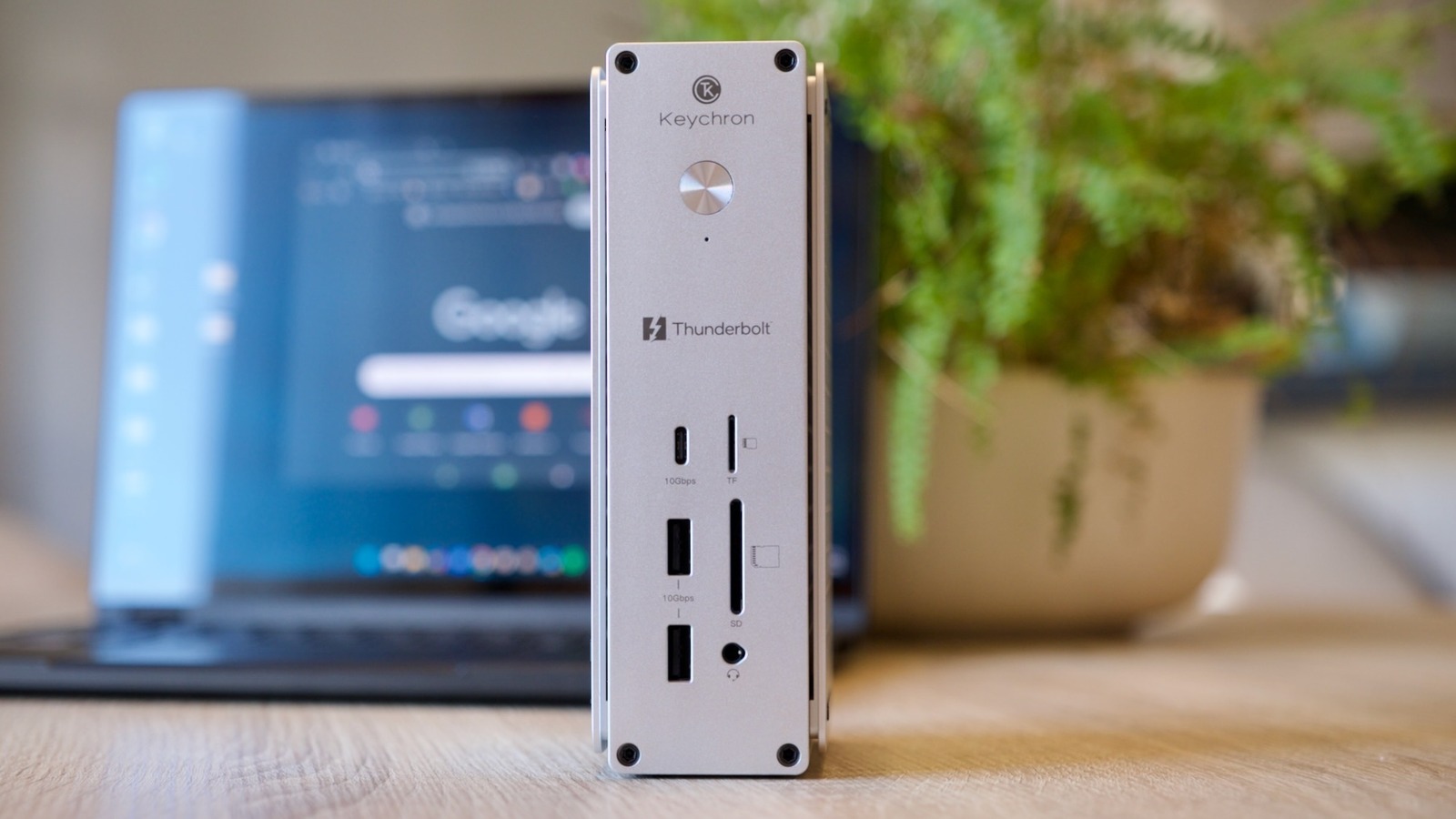
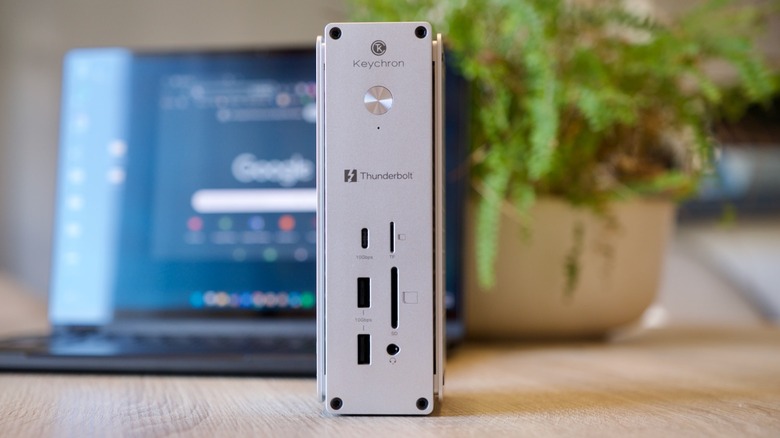
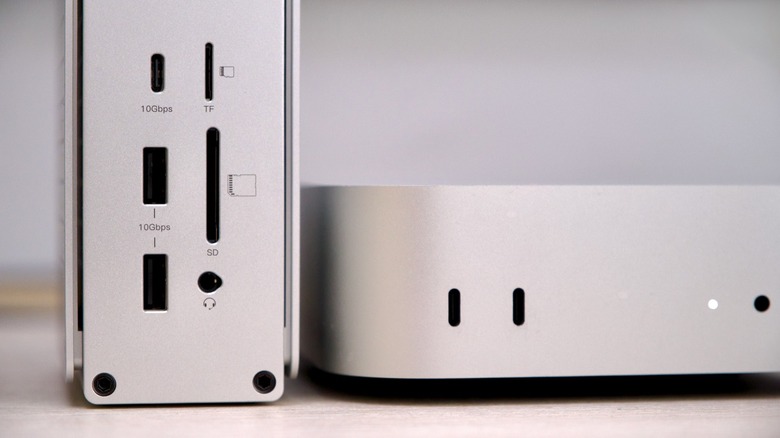
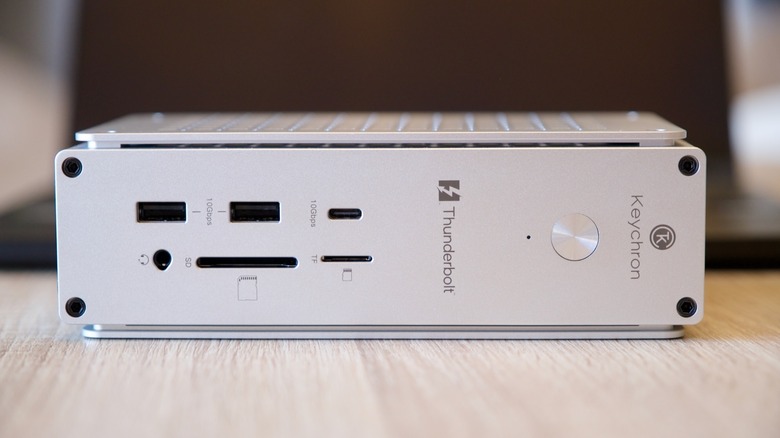
The Thunderbolt 5 Dock has a total of 14 different connections. On the front of the device, there are three USB 3.2 (Gen 2) ports that support 10Gbps data transfer. Two are type A and one type C. This is an okay start; at least two type C ports would have been my personal preference. There are two SD card slots, one full-size, the other MicroSD, and I'm grateful they're on the front — fumbling around for a card slot hidden on the rear or side is a frustration no one deserves.
To demonstrate this is more than a simple powered USB hub, there's also a 3.5mm jack. There's actually an audio interface inside the dock. It's not as powerful as the one built-in to my Mac or PC, but it does support inline mics for calls and other basic audio input (such as gaming), so you don't even have to plug headphones into your computer directly.
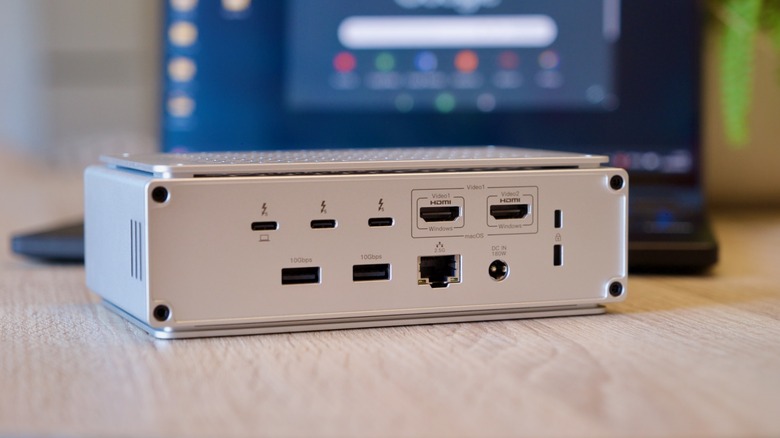
Flip the dock around and you'll find three Thunderbolt 5 ports, one upstream to your PC and two downstream for things like high-speed SSDs. There are two more USB 3.2 (Gen 2) Type A ports plus a 2.5Gb Ethernet port and a Kensington security lock. Let's not forget the two HDMI output ports for those looking for a multi-display setup.
In-use
James Trew for Engadget
Thunderbolt Dock 5 can support up to four displays simultaneously over both HDMI and Thunderbolt. The reality is a little more complicated. MacOS doesn't natively support multiple displays over HDMI hubs or splitters. If you plug two monitors into the HDMI ports on this hub and connect it to a Mac, your screen will be mirrored on both. You can, however, use one HDMI input, another from the Mac itself and any of the Thunderbolt ports for a true multi-display setup. Windows is a little more flexible here, with dual-HDMI support being more common.
This flexibility does introduce some other considerations. The HDMI outputs are 4K/60Hz max whatever your configuration, so if 8K or higher refresh rates are important to you, you'll be reaching for a Thunderbolt port regardless.
I do a lot of work with video, so I need reliable, fast ports for slinging gigabytes of media between cameras, SD cards and various hard drives (including the one in my Mac or Windows laptop). This dock recognized any storage I plugged into it every single time. I wish that wasn't something I had to be excited about, but it is. Transferring data always gave me maximum (or ballpark max) data speeds even when moving files from multiple sources at the same time. There's another small, but important benefit, too: weight. The Thunderbolt 5 Dock is steady enough that I can "click" a microSD card into it with one finger and the dock doesn't slide around on the desk. That's almost worth the $350 alone. My old, far cheaper, Ugreen dock, even with a Mac mini on top, couldn't promise not to move — or even register my SD card if I inserted it before waking up the computer.
The second, and more revealing, way I tested this dock is with my laptop. I have a 13-inch Asus foldable that is powerful enough to get most "desktop" tasks done, but when I'm in the office it's frustrating to work on a smaller screen and with limited inputs and outputs. This is where this dock becomes more transformative. It's not simply adding a few ports, it converts my laptop into a podcast and video studio, connected to my Rodecaster and mirrorless camera/capture card with multiple displays with full power supply — all over one cable.
The design of the dock itself is definitely "Apple-inspired" with brushed aluminum. It looks the part next to a Mac and doesn't feel out of place when I use it with my Windows laptop, either. One thing I really appreciate is that there are rubber feet on two sides so you can set it in both upright/tower or flat orientations. Rival docks make that decision for you and it's frustrating if you have a space limitation or visual/ergonomic preference. The design makes clever use of CNC-cut panels on the sides that look stylish and double as effective heatsinks. The benefit is the dock doesn't need a fan, so it runs silent.
The competition
Much of what I've talked about here can be done by many rival docks; the differences come down to connectivity, reliability and price. Popular competitors include CalDigit's TS5 dock ($399) and Razer's Thunderbolt 5 Dock Chroma ($379). The latter adds an SSD bay and (of course) RGB lighting with more type C ports. Both CalDigit and Razer ditch the HDMI connectivity though.
Anker's Prime TB5 ($399) dock closely matches Keychron's connectivity, just with a DisplayPort instead of a second HDMI and two USB-C ports on the front, but with the SD card slots on the side. Most docks in this price range are a variation on this theme. The dual HDMI ports are arguably Keychron's standout feature. You can, of course, dedicate a Thunderbolt port for a display, but then you have one less Thunderbolt port for other items.
Wrap-up
James Trew for Engadget
As Thunderbolt 5 docks mature as a category, your specific needs, followed by budget, will increasingly be the deciding factors. Keychron's first attempt is unusually sensible. There's no one thing that explodes the competition, but a series of smart choices and hardware experience combine into something practical and reasonably priced. An NVMe SSD slot might have elevated this dock above its rivals, but also likely the price. You might wish for 10Gb ethernet or, like me, one more USB type C port on the front, or maybe even a DisplayPort. But it's hard to argue with Keychron's crowd-pleasing offering, especially for creatives and those with a need for complex display configurations.
My personal checklist has a focus on media and creation, for which the dual HDMI ports and reliable media I/O really help. Keychron's experience with hardware is clear in the build and design, and even though the price might not seriously undercut its rivals, this dock is pitched just right to give it broad appeal to a variety of demanding users.
KioskNews shows a cleaned-up reading view extracted from the publisher’s page — the original always lives on their site, not ours.