Apple Mac Mini M6 review: The always-on hub for my AI agents
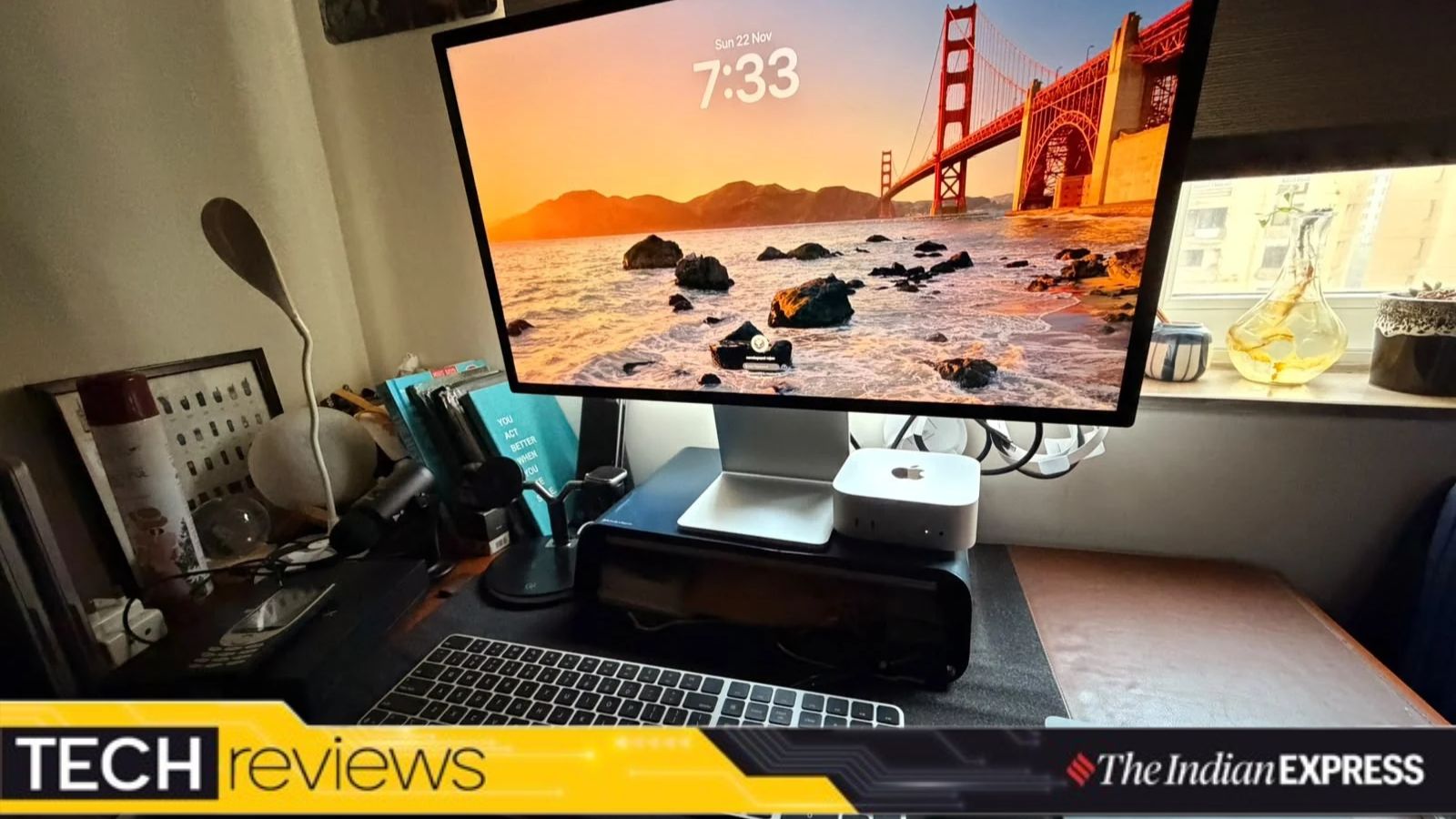
Since my last custom-made Windows desktop withered away from years of overuse, I have not really invested in a device that stays at home while I travel. As my son nears the business-end of his school life, this thought has crossed my mind. A laptop has its limitations when it comes to being serious, at least with studies, or so this dad thinks. Anyway, I have been eyeing the Mac Mini as something that can fill this gap for a few years now, though I have not been able to pin down a real use case.
The new Mac Mini is powered by Apple’s M6 silicon and includes all the port options you will need in a home environment — two USB-C ports with support for USB 3 in the front and three Thunderbolt 4 (USB-C) ports with USB 4 (up to 40 Gbps) at the rear. There is also a 3.5mm jack up front.
I set up the Mini with a Studio Display, which is the best fit for this setup. However, in the office, I have an older Mac Mini setup hooked up to an LG widescreen monitor. The point I’m trying to make is that the rest of the rig will depend on what you have lying around and the budget you want to set aside for a home setup. The fact is that the Mini itself is flexible and can easily power up to two displays, if you are, for instance, into day trading.
I had other ideas for the Mini. I run many agents and scheduled tasks out of my MacBook Pro, some of which need the computer to be on for executing the task. I was eyeing the Mini as the hub for all my AI tasks running on Claude and ChatGPT. Also, I wanted to see if I could use it to set up an offline AI model too, powered by Msty private AI.
To start with, I set up the Mac Mini as a mirror of the MacBook Pro, so that it had access to all the files and passwords. Setup is so easy now with Apple devices, as Cupertino has made the entire process intuitive. All you need to enter is the Apple ID password. Once this was done, I started moving scheduled runs to this computer.
The M6 on the Mini has a 12‑core CPU with 2 super cores, 4 performance cores and 6 efficiency cores. This means the computer is flexible when it comes to power requirements and can keep running non-stop without using up a lot of power.
This is when I got a bit ambitious. I set up Msty with Gemma 4 E2B running locally. I airdropped over 5000 pics from my iPhone and asked it to sort them by the date they were shot and to remove duplicates as well as screenshots. The model immediately told me it could not access HEIC images. So I used Claude to access this folder and convert all the image files to JPEG or PNG, which took it well over 30 minutes. It then sorted all the folders into video and images by date.
Story continues below this ad
That is when I realised there was more I could do with the local model. I uploaded over 500 images to Msty and asked it to tell me what it saw. In a few seconds it described what the entire batch of images had, from product photos to cityscapes and images of conferences I attended. I asked if it could sort the files based on what it saw. It suggested the best-suited folders, but said it could not physically move the files, given how I had set it up.
There are many other things I can do with a locally running AI model, and I am just getting started. For me, running these types of experiments is not new. But many of these end prematurely because I shut my MacBook Pro when leaving office or for the weekend. The difference is that the Mini can chug along in the background for days doing tasks and schedules that can’t be interrupted.
For instance, on Sundays I have a scheduled run that preps me for the week ahead with meeting reminders and background, pending tasks and the like. This usually gets interrupted when I forget to switch on the MacBook Pro on weekends. Now, it runs from the Mini. Yesterday, I did not touch the MacBook Pro at all, and by the time I was back from the Godzilla movie, the week-ahead note was ready for me to review.
As our work patterns change in the times of AI, the Mac Mini could emerge as the new hub for all your AI agents and the repository of all your files that give them context on what they are working on. While the review unit came with 256GB storage, you can buy one with more storage or hook up an external drive for this. You will need a Mac Studio for powerful local tasks like long-form video editing, but the Mini is good enough for most personal AI runs with its 12-core GPU and 16GB unified memory. For more power in the Mini, there is now the M5 Pro version too.
Story continues below this ad
I am sold now on getting a Mini to set up a full hub at home that my son can use for his studies and I can use to play around with developing AI models. But I might opt for a model with more storage, maybe 512GB, though that comes at a premium, and pair it with a more affordable large display. Starting at Rs 99,900, the Mac Mini M6 is one of the more affordable options now for those looking at tackling the ever-changing AI world with experimentation and power use. Despite the small size, this has all the power to take on your daily tasks, as well as those of your many agents.
KioskNews shows a cleaned-up reading view extracted from the publisher’s page — the original always lives on their site, not ours.