5 noteworthy iOS 27 features you can't get on older iPhones
From Siri AI to camera tools, some features are restricted to newer models.
Chris Velazco for Engadget
Apple gating some iOS features to the latest models isn't a recent development. For example, the first version of Siri was exclusive to the iPhone 4s at launch. But the ecosystem is more fragmented today than ever, with some of iOS 27's most interesting features available only on the latest models.
Fortunately, the basics are supported on some relatively old phones. The core iOS 27 software is available on models as far back as the iPhone 11 (plus the second- and third-generation SE models). But here are the models that miss out on some of the latest features.
New Siri
Filipe Espósito for Engadget
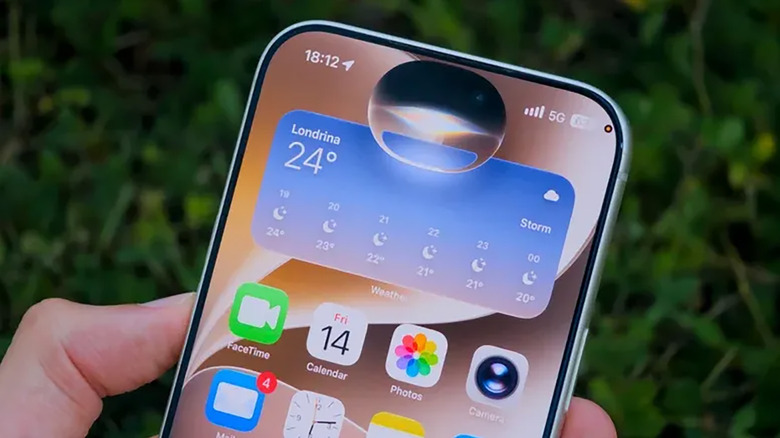
The marquee feature of iOS 27 is a chatbot-like Siri personal assistant, but not everyone can try it. The new Siri AI can use personal context from messages and emails, understand what's on your screen and research answers using the web. In many ways, it gets closer to the vision Apple sold for Siri way back in 2011, when the assistant struggled to do much more than send messages and check the weather.
To try Siri AI, you'll need an iPhone 15 Pro or newer. That means the base iPhone 15 (and 15 Plus) and each older iOS 27 device, back to the iPhone 11, miss out on the new Siri. And even if you have a newer model, there are regional limits, with the EU and China still waiting on an official launch date.
AI photo and camera tools
Filipe Espósito for Engadget
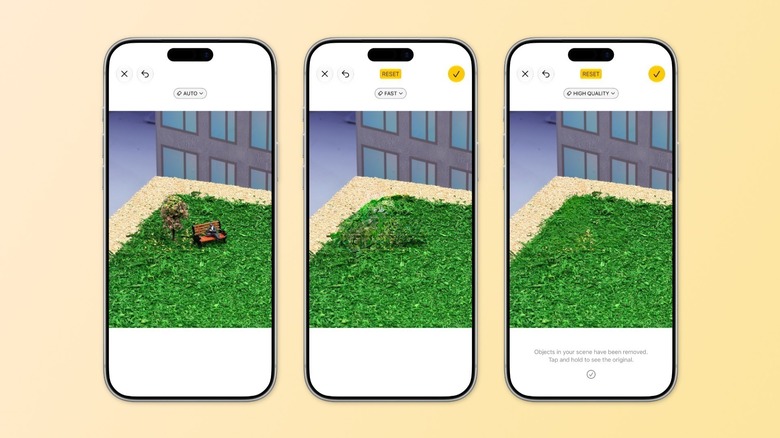
iOS 27 adds new AI features to Photos and the Camera app, but this, too, requires a newer model. Extend is an outpainting tool that uses Apple Intelligence to generate new content beyond the edges of your photo, while Reframe lets you change the photo's perspective after taking it. Clean Up, a carryover from iOS 18 that removes unwanted objects from your photos, gets a big upgrade.
The Camera app also adds a new Siri mode. When shooting, you can point at something and tap the shutter button, and Siri will (try to) identify it. You can then ask follow-up questions. It's essentially Visual Intelligence, only built into the Camera app.
All of these features are available on the same list of iPhones as Siri AI. That means you'll need an iPhone 15 Pro or newer to try them.
Expressive Siri voices and better dictation
Expressive voices let you adjust Siri's emotiveness and pace. iOS dictation, while hardly new, gets an accuracy upgrade. The list of supported iPhones shrinks even more with these two features.
Both are only available on iPhones with 12GB of RAM. That's an odd technical requirement for Apple, since the company doesn't list RAM in its spec sheets. Fortunately, the company spelled out which devices have it: the iPhone 17 Pro, 17 Pro Max, Air, 18 Pro, 18 Pro Max and Duo. That means the iPhone 16 Pro, base-level iPhone 17 (and 17e) and everything older misses out.
FaceTime Dual Capture
You'll also need a newer iPhone for FaceTime calls that show your front and back cameras at the same time. FaceTime Dual Capture requires an iPhone 17, iPhone Air or newer. No dice for the iPhone 17e or anything from the iPhone 11 to the iPhone 16 Pro.
Older iPhones aren't entirely left out, though. As long as the person you're calling is running iOS 27, they can still see your dual-camera view — they just can't reciprocate.
New Pro camera controls
Apple
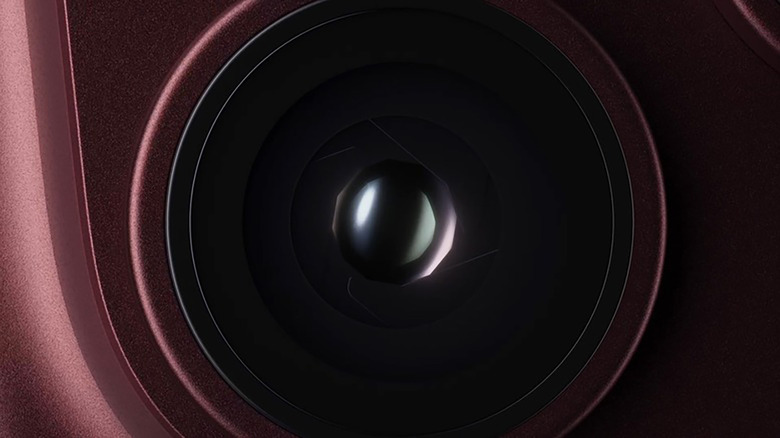
Photography is one of the big ways Apple is marketing the iPhone 18 Pro and Pro Max. Manual aperture, shutter speed and white balance controls are only supported on those new Pro models.
Not even the $2,000 iPhone Duo supports these. Anything else from the iPhone 11 to the 17 Pro and Air is left out.
Worth the upgrade?
Although Apple keeps finding new ways to pressure you into upgrading, these features alone probably aren't enough to warrant a big purchase. If you care about Apple Intelligence, anything from the iPhone 15 Pro onward gives you the basics, like Writing Tools, notification summaries and the new Siri AI. And iOS 27's core features, like faster performance, rebuilt search and iPhone Handoff (with a supported carrier), are available on all models running iOS 27.
Still, the gap keeps widening between "supported" and "fully supported" iPhones. FOMO appears to be part of Apple's game plan.
KioskNews shows a cleaned-up reading view extracted from the publisher’s page — the original always lives on their site, not ours.