Your computer can’t read a floppy disk – so how do we save the history they hold?
When you think of archives, you probably think of dusty old boxes of paper documents, photos, diaries, letters and flyers, filed away in storage. But increasingly, our archival materials are digital, and material from the 1980s, 1990s and 2000s are often stored on formats like floppy disks and CD-ROMs.
Aging and outdated technology has rendered decades of data, memories and cultural heritage inaccessible and at risk of being lost. The constant churn of computer hardware and software upgrades means digital content from as little as 20 years ago cannot be accessed via today’s computers.
We know so little about what everyday people used computers for when they first became available. This means we don’t exactly know what we might be losing – family narratives, unpublished memoirs and other important records.
So much of our history is now stored on outmoded digital platforms. To help combat this, we recently worked with members of the Royal Historical Society of Victoria to archive their own materials. Here’s some of what we found.
Saving the ‘born digital’
New computers don’t include CD-ROM drives, let alone floppy drives, and a lot of older software will not run on contemporary operating systems.
And physical storage media are deteriorating. CD-ROMs and floppy disks fail at alarming rates: in one study, only 8% of old CD-ROMs could be read today.
“Born digital” content is artefacts that have been created using a computer. If we don’t save this content, it will not be available for future use.
Our research is concerned with preserving the born digital, from Australian videogames of the 1980s and 1990s to interactive artworks.
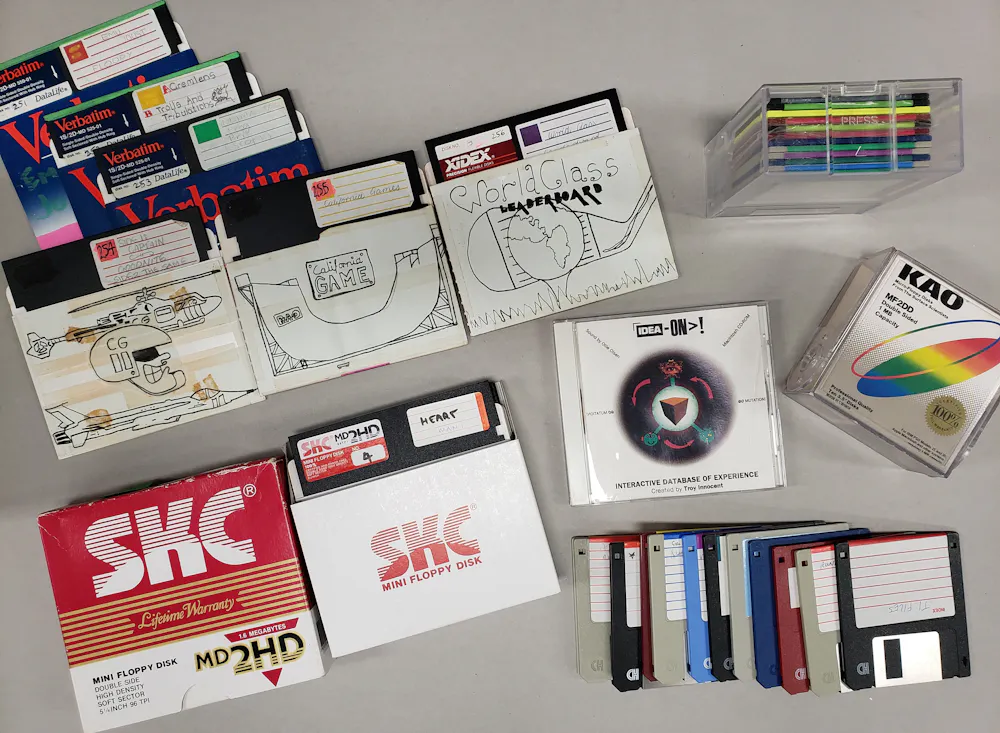
There are three main steps in our digital preservation workflow.
Create a “disk image”. Using vintage and restored drives, we can read floppy disks, CD-ROMs and Zip disks. We then make a “bit-perfect” copy – a single file which holds the entire contents, including all hidden or unused sections, of the disk.
Analyse the content. Sometimes, all that’s needed is a computer’s native file explorer. At other times, additional software may be needed to view the file names and types stored on the disk.
Store the new content. Freed from the need for old hardware drives to open them, the disk image files can be stored on hard drives, cloud storage or added to content management systems.
Digital preservation is ongoing, and digital objects will still require careful stewardship into the future. But once content has been liberated from deteriorating disks, the recovered files and disk images can continue to be migrated as our technology changes.
Major galleries, libraries, archives and museums have been working for years to build and preserve digital archives. But much historically significant content remains with individuals and smaller organisations, outside of formal digital preservation ecosystems.
Into the Victorian archives
To help support smaller organisations and their archives, we asked members of the Royal Historical Society of Victoria to bring in their digital holdings.
Some files on CD-ROMs were able to be copied without imaging; all that was required was an inexpensive USB CD drive. Floppy disks can be much trickier as drives are increasingly rare. They require controllers to connect to current computers: some of these have playful names like Greaseweazle and Applesauce.
We were excited to see what materials were brought in.
There were genealogical files, Word documents, oral history materials, sporting club records and photographs of large engineering projects.
One local library staff member could now see a way to manage the archival content the library holds, such as recordings of the 1991 Australian chamber opera Seduction of a General by composer Martin Friedel.
The Wodonga Family History Society were excited to access indexes of local cemetery records, and scanned photographs of the construction of the Hume Weir.

One member brought six 3.5" floppy disks with files for a discontinued genealogical program from 1996. Imaging her disks, we were able to help her re-access the data which was doubly stranded: on floppy disks and file-types particular to the old software.
She said she was “thrilled to access the information on family members. It’s almost magic!”
And by exporting to an open file format, she will now be able to import the data into a current genealogical program.
Local archives often hold information that is not stored elsewhere. Getting data off obsolete media is a start. But how they will look after their data in the future remains an open question.
By sharing access to our equipment and know-how, we not only made a start on preserving at-risk content but reassured custodians it is possible to still access this material, despite the challenges of digital obsolescence.
KioskNews shows a cleaned-up reading view extracted from the publisher’s page — the original always lives on their site, not ours.