Gemini and Find Hub can help you locate your important documents — here's how
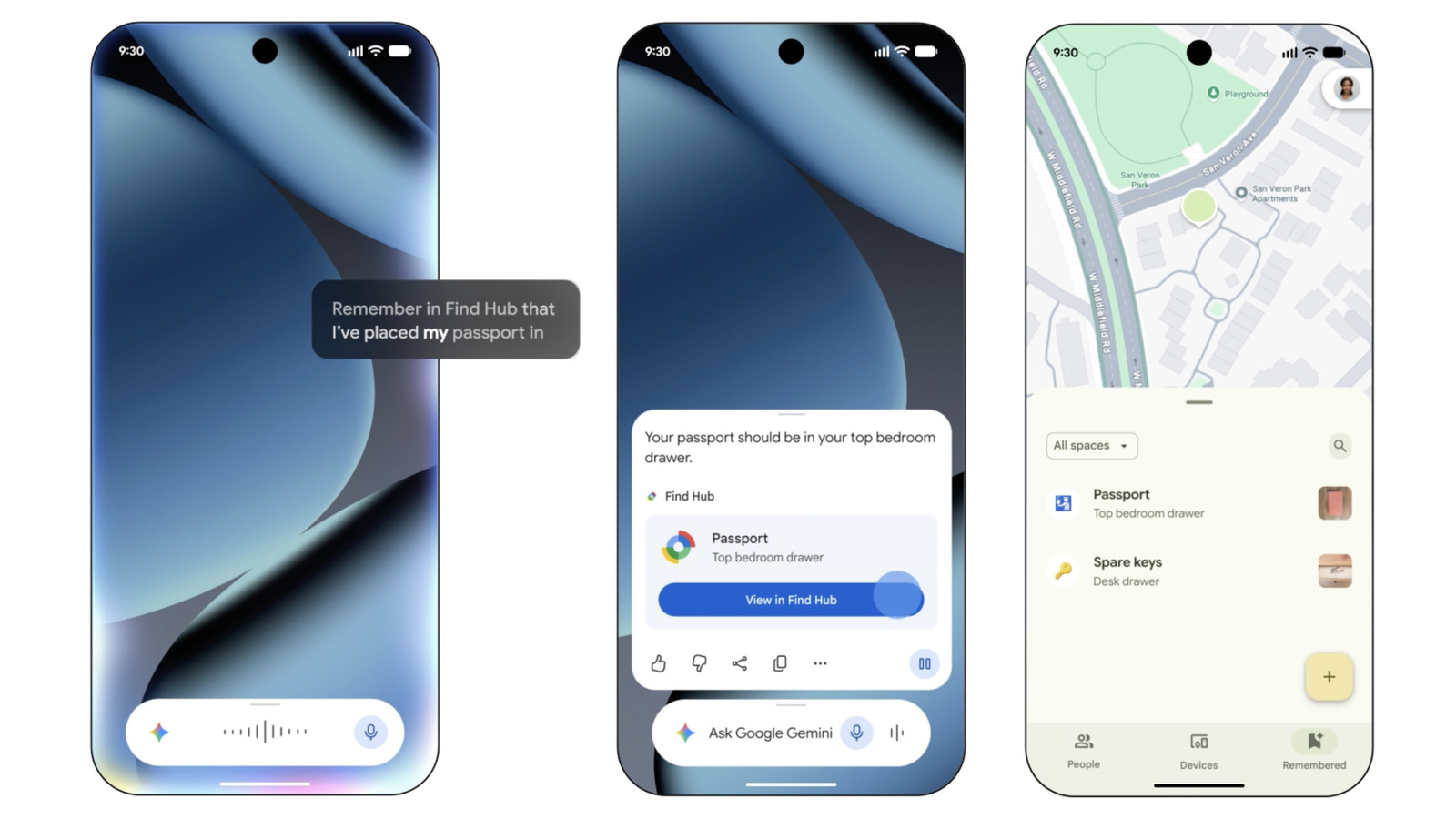
Did you know that Google's Find Hub can help you locate more than just your Android phones, tags and other devices? While the best way to ensure that you can always keep track of important belongings is to put a compatible tag on them, you don't always have to do that, especially if they're not things you can easily tag. That includes documents, like birth certificates, passports and social security cards. Instead, you can use a feature that combines the capabilities of Gemini and Find Hub to help you remember where you've kept them.
How to use Android Find Hub to save the locations of your belongings
First thing you should do is make sure Find Hub is enabled. You can do that by downloading and setting up the Find Hub app or going to Settings > Google > All services > Find Hub. After that, set Gemini as your device's assistant by going to the Google app and then tapping on your profile icon at the top right corner of the screen. From there, go to Gemini or Google Assistant > Digital assistants from Google. Choose Gemini as the default.
Now, you're ready to add the locations of your important belongings to Find Hub. Whenever you want to add new items to the hub, you can talk to Gemini and say something akin to: "Hey Google, remember in Find Hub that I put my passport in the vault." Gemini will then let you know that it has saved the location of the item and will link to the Find Hub from its interface.
When you tap on that link, you'll see the item details as they're saved in the Hub. You can add a photo of where you've kept it for better recall; the exact address of the location if you have several hiding places, such as multiple homes, PO boxes or bank safety deposit boxes; and more information under notes. You can also manually add items in the Find Hub app. Simply go to the Remembered tab and click the plus icon, then choose Manual entry.
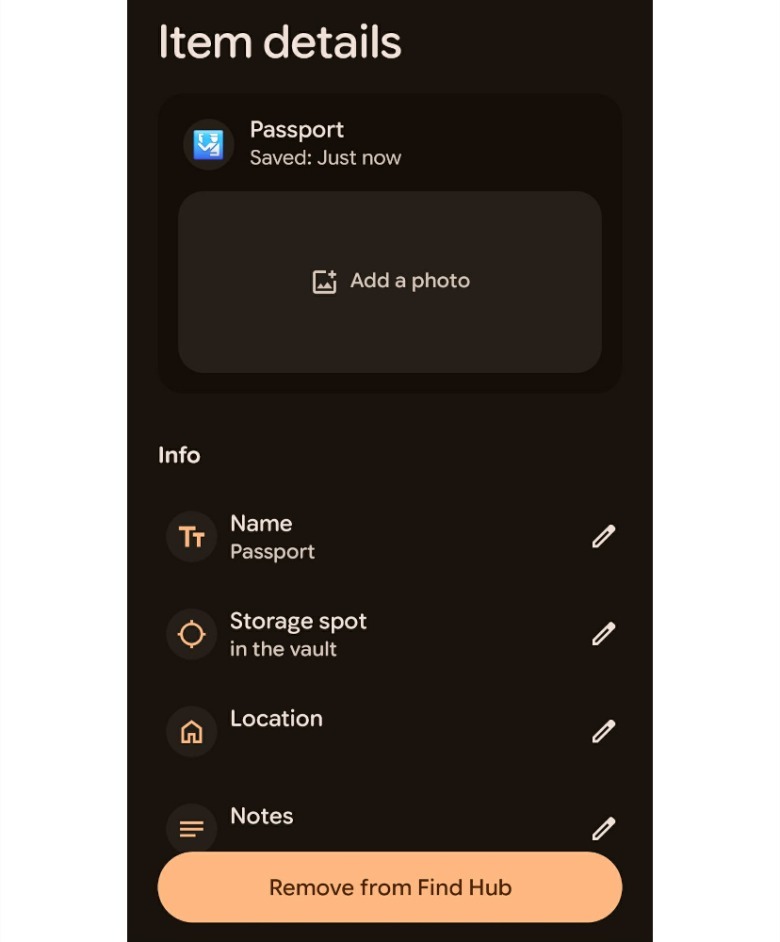 Screenshot by Mariella Moon
How to ask Gemini where you've kept your documents
That's all you have to do to record the location of an item. When time comes that you need to remember where you've kept an important document or belonging, you can talk to Gemini. If you ask the assistant, "Hey Google, where did I keep my passport?", it will reply with its latest known location along with a link to Find Hub. Yes, you can also just fire up the Find Hub app and look at all the items you've saved under the Remembered tab. Tap on the item you're looking for to view any image you've uploaded, along with its latest location and notes.
KioskNews shows a cleaned-up reading view extracted from the publisher’s page — the original always lives on their site, not ours.