無料で自分のPCにインストールされているAIエージェント・ハーネス・MCPサーバー・プラグイン・AI拡張機能をすべてスキャンして列挙してレポートしてくれる「Geiger」
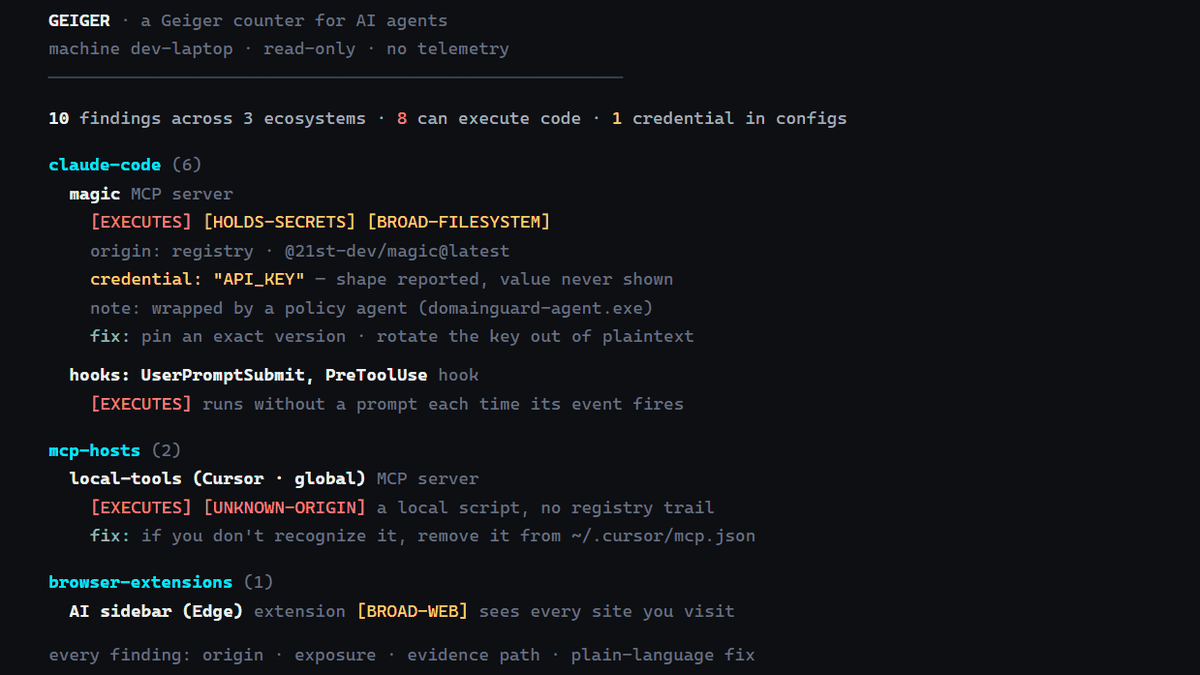
AIエージェントをいくつも試していると、以前追加したMCPサーバー・プラグイン・AI拡張機能などがPCのどこに設定されているのか分かりにくくなります。PC内のAIエージェント・ハーネス・MCPサーバー・プラグイン・AI拡張機能などをスキャンして一覧化し、それぞれがアクセス可能な範囲までレポートしてくれる「Geiger」が公開されています。
Atomburstofficial/geiger: A Geiger counter for AI agents — one read-only command that inventories every agent, MCP server, plugin, and AI extension on a machine
https://github.com/Atomburstofficial/geiger
◆Geigerを実際に使ってみる
AIエージェントを利用しているPCにNode.js 18以上が用意されていれば、Geiger自体をグローバルインストールしたりアカウントを作成したりせずに利用できます。スキャンするには以下のコマンドを実行。
npx geiger-scan
スキャン結果にはClaude CodeやCodexなどのAIエージェントだけでなく、CursorやVS Codeに登録されたMCPサーバー・Hooks・AI拡張機能などもまとめて表示されます。
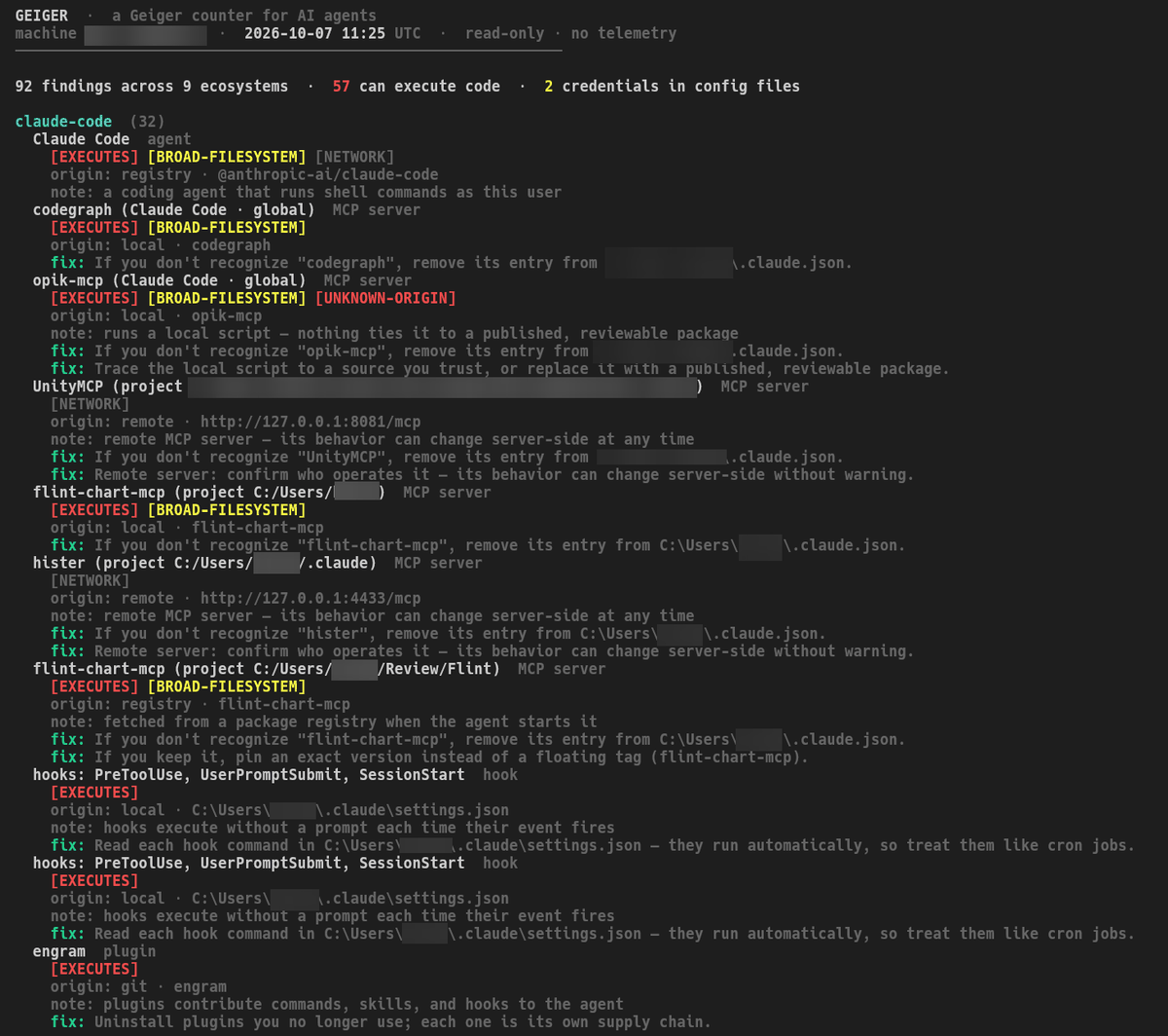
◆見つかったAIツールがどのような機能を持つものか確認
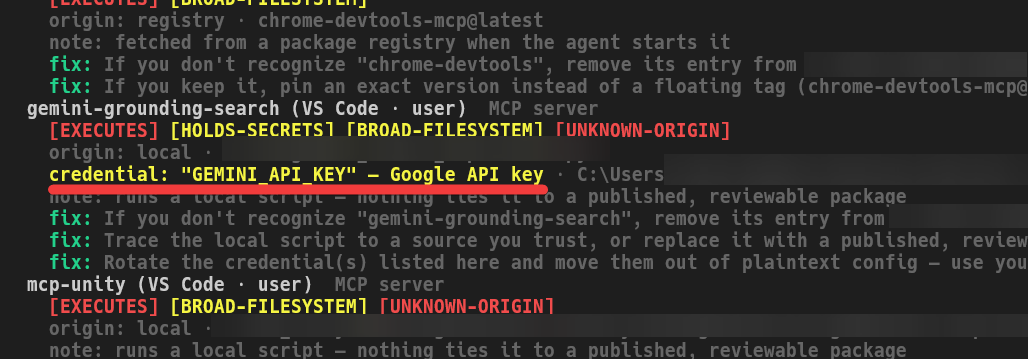
各項目には「EXECUTES」「HOLDS-SECRETS」「BROAD-FILESYSTEM」「BROAD-WEB」「NETWORK」「UNKNOWN-ORIGIN」といったラベルが付き、コード実行・認証情報・ファイルアクセス・ウェブアクセス・通信・出所不明など、その項目がどのような機能を持っているか確認できます。
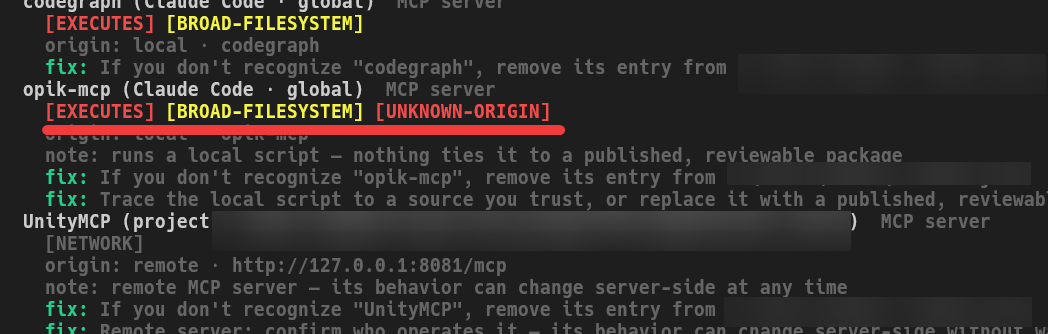
認証情報らしい値が設定ファイルに見つかった場合も、GeigerはAPIキーそのものを表示せず、キー名・設定ファイル・認証情報の種類だけをレポートします。
◆ブラウザでレポートを確認
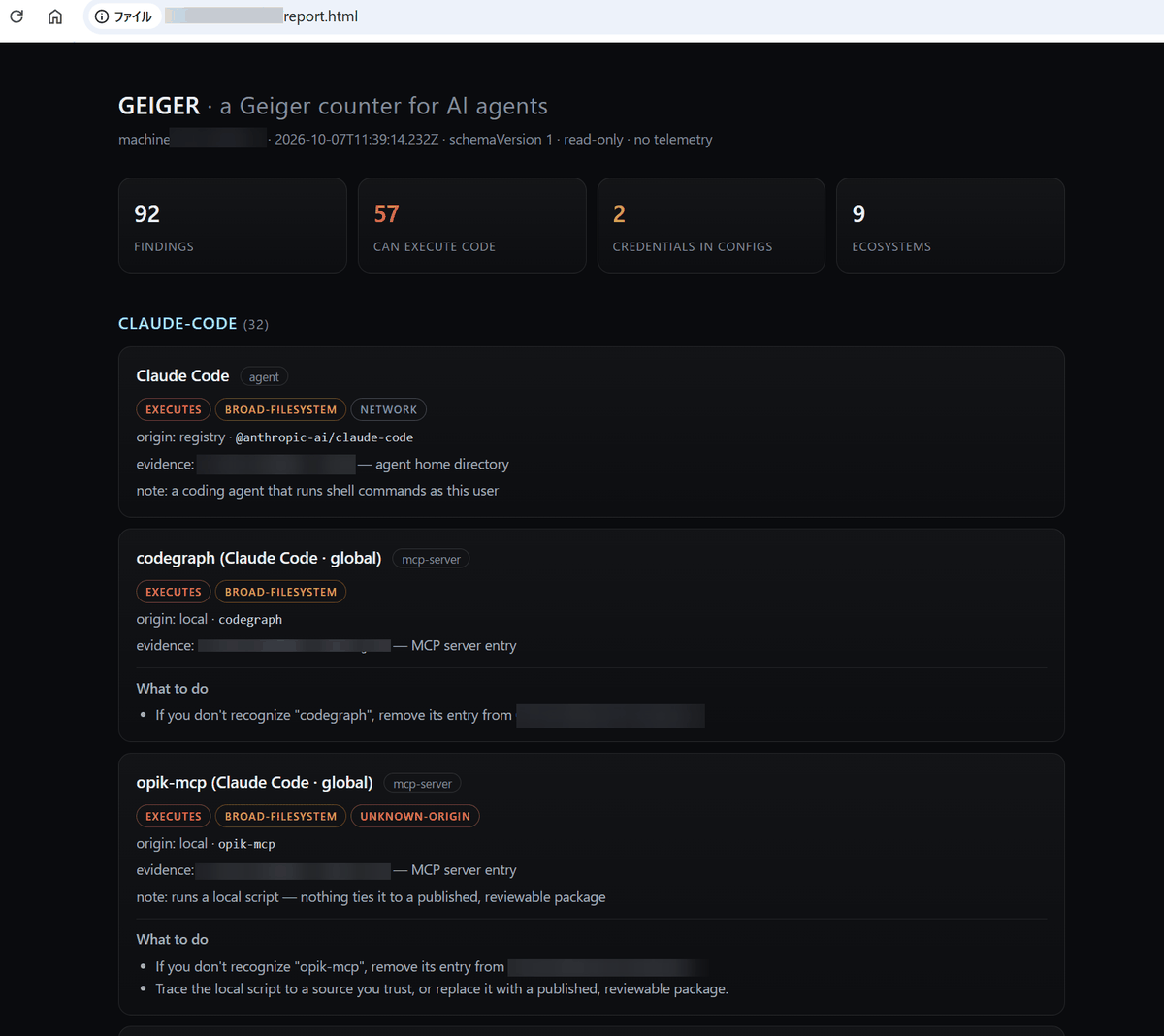
「--html」オプションを指定すれば自己完結型のHTMLレポートも生成でき、各検出項目のアクセス範囲・設定ファイル・対処方法をブラウザから確認できます。
npx geiger-scan --html report.html
生成された「report.html」をブラウザで開くとHTMLで整形されたレポートが表示されます。
◆以前の状態と比較
「--json」オプションで現在の状態を「baseline.json」として保存。
npx geiger-scan --json baseline.json
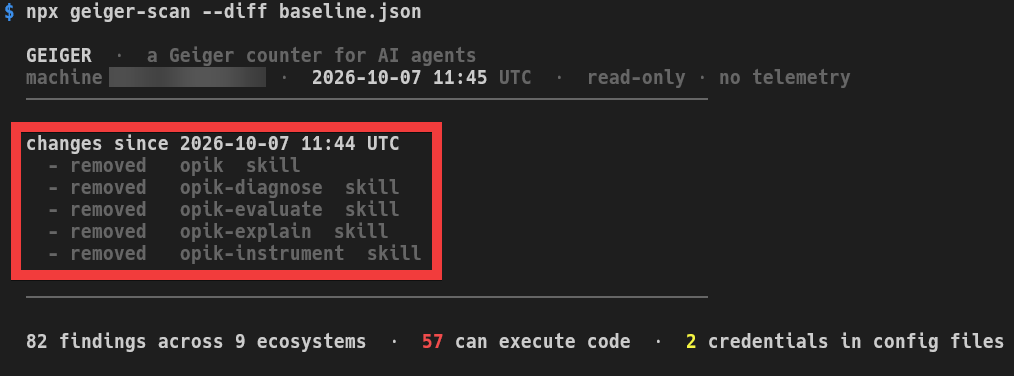
「--diff」オプションで「baseline.json」と現在の状態を比較。
npx geiger-scan --diff baseline.json
差分が表示されます。
◆Geigerの評価
ソーシャル系ニュースサイトのHacker Newsでは、Geigerについてさまざまな議論が行われており「組織内の隠れたAIを把握する企業用途にも使えそうだ」という評価がある一方、「このようなツールでAIエージェントの機能がカウントされるような環境は安全ではなく、バックアップやサンドボックスを用意すべき」という意見も投稿されています。
KioskNews shows a cleaned-up reading view extracted from the publisher’s page — the original always lives on their site, not ours.