Samsung Galaxy Watch Ultra 2 review: The new standard for smartwatch battery life
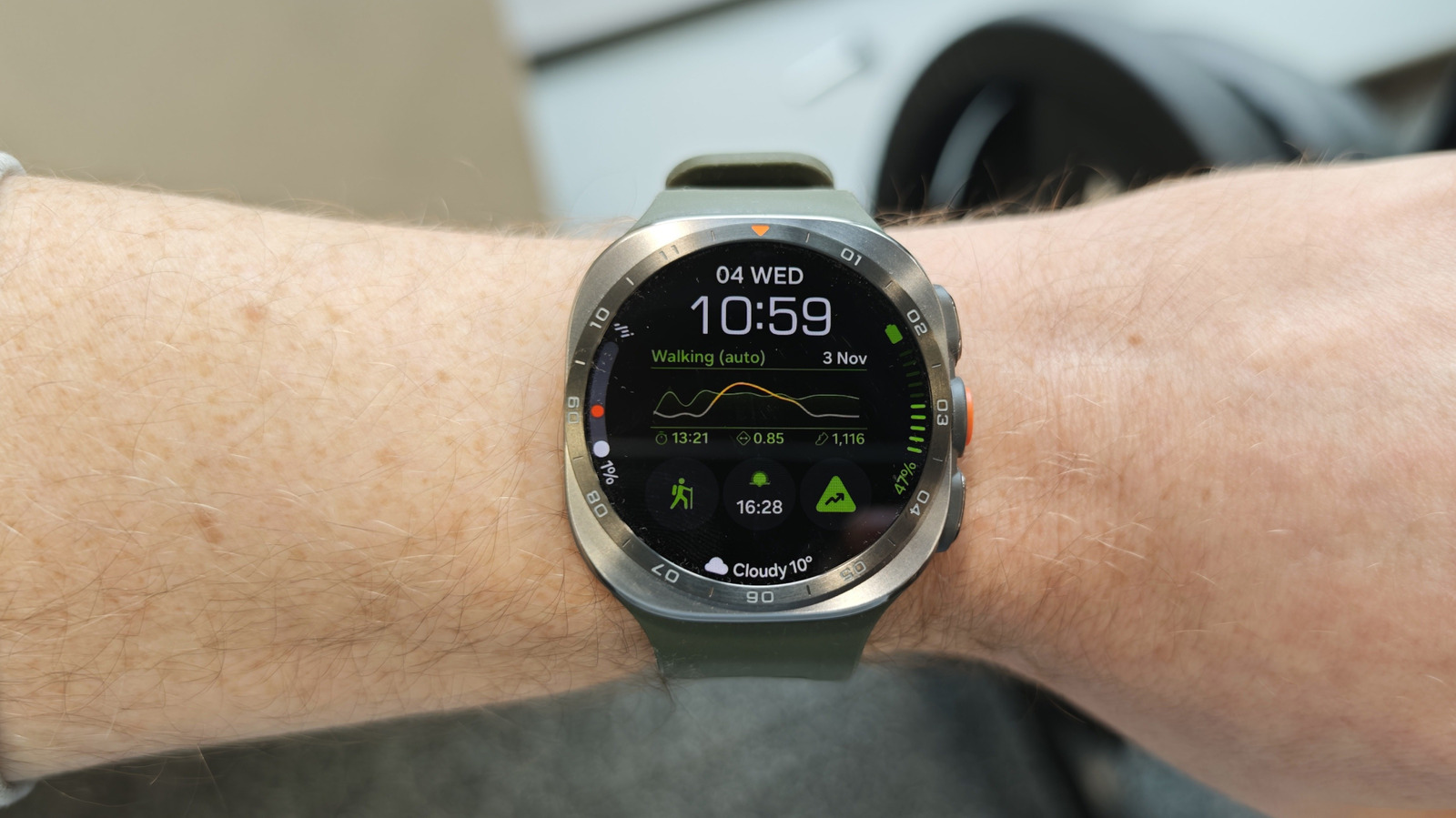
Coupled with a bright display, it hits the sweet spot for smartwatch hardware.
Mat Smith for Engadget
RATING : 9 / 10
- The brightest smartwatch display we’ve seen
- Remarkable battery life
- So many fitness and health tracking features
- Premium price for Samsung’s most premium wearable
- Interface has a steep learning curve
- Some features are hard to find
We may receive a commission on purchases made from links.
Samsung's latest Ultra smartwatch hits all the notes of an 'ultra' wearable: a solidly designed timepiece with chunky detailing that puts activity tracking front and center. For the Galaxy Watch Ultra 2 ($700), the company has made major improvements to battery longevity and performance, while still forging its own health-tracking path with a bunch of unique metrics (of varying utility). With 13 years of wearable launches behind it, can Samsung pry me away from my Apple Watch Ultra?
Hardware
Mat Smith for Engadget
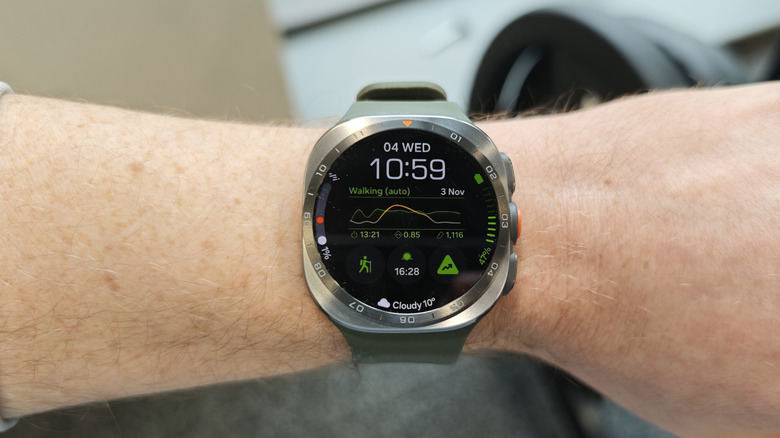
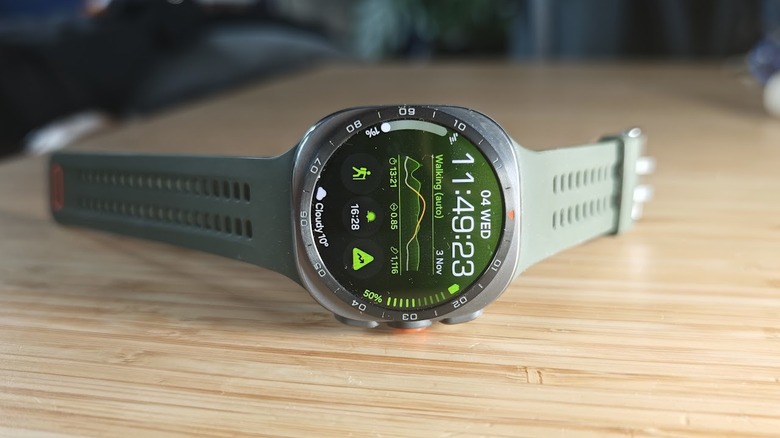
It's refreshing to see some major hardware upgrades on this second Galaxy Watch Ultra — perhaps a benefit from taking a year off from offering an upgrade. Starting with the (slightly bigger) 1.52-inch display, it now reaches up to 5,000 nits of brightness, a big leap from the original Watch Ultra's 3,500-nit max — and better than pretty much every other smartwatch out there. It's the same squircle design that most folks either love or loathe. I like it: It looks different from the circular smartwatches and won't be confused for an Apple Watch either.
Speaking of which, Samsung's newest flagship watch is lighter and slimmer than both its predecessor and Apple's latest Watch Ultra 4, but it's still a substantial timepiece, at 10.7mm thick and weighing just shy of 2.2 ounces (61.5 grams). It comes in only one size, 47mm, and it looks chunky and outdoorsy on most folks' wrists. If you're looking for a more subtle, smaller Samsung smartwatch, the company's Watch 9 series might be a better fit, literally. The company has stuck with its proprietary Dynamic Lug System for its watch bands, so you'll be limited to Samsung-made options and a few niche third-party options. on't expect the same range you get with Apple's wearables.
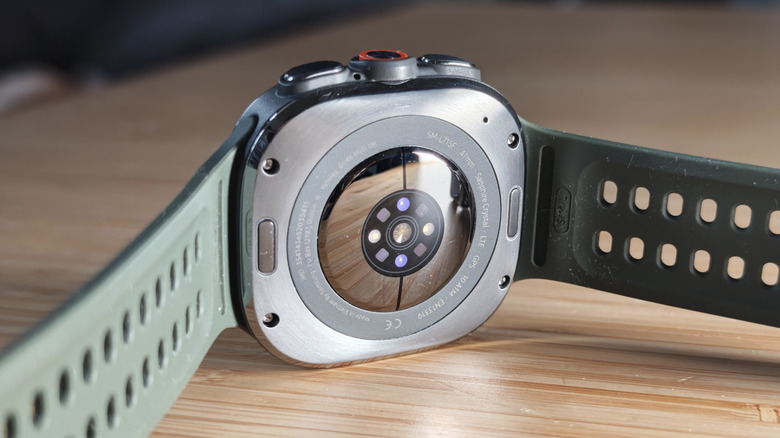
There's still no rotating bezel, which was a mainstay on Samsung's older flagship wearables, and the buttons along the right edge protrude much less, which is one of several small hardware refinements you may not notice at first. Sadly, Samsung also reduced the orange detailing on the main button, which I liked. I'll take anything that adds a splash of color to monochromatic tech.
The lack of a physical dial doesn't ruin the wearable, but it can be frustrating at times. Using picker wheels, which you scroll to choose a number, seem overly sensitive across multiple apps. For example, when adjusting the weight numbers on Hevy, a weight training app that works on the Watch Ultra 2, I found it hard to lock on to the right number.
The hardware seems as durable as it looks, with a shock-resistant titanium casing and IP69K dust and water protection, making it completely dust-proof and able to handle high-pressure, high-temperature water jets. This is arguably the most diving-friendly mainstream wearable, or at least it will be. It has a water resistance rating of 10 ATM, so that you can take the Galaxy Watch Ultra 2 as deep as 100 meters (or 328 feet). However, we're still waiting, months after it was announced, for a dedicated diving app that was promised at launch.
Battery capacity is up substantially, from the original Watch Ultra's 590mAh cell to 800mAh. That's over a third more battery. Combined with the latest Snapdragon Wear Elite chipset, it delivers the battery life I want from a smartwatch.
We all use wearables differently: some want constant heart rate tracking and some want fine-grained fitness tracking during daily workouts. Some might want their wearable to track their entire ultramarathon, and the Galaxy Watch Ultra 2 will oblige. I am not an ultramarathon runner — yet. With mid-to-light use and the always-on display on, I got three days out of the device before the battery dipped below 20 percent. This included plenty of notifications, tracking an hour-long gym workout most days and using the Watch Ultra 2 controls to play podcasts and music. I also used it to track my sleep each night which I'll dive into more later.
Already, that's impressive battery performance. Over a week, I'd typically charge the device only twice. When I headed out for a weekend break, my fully charged Watch Ultra 2 handily lasted the trip. Skipping tracked workouts or turning off the always-on display, I got closer to four or five days of use. I want this to be the new standard in smartwatch battery life, though I understand that, at least for now, bigger batteries demand the thicker design of these 'ultra' smartwatches.
Software and interface
Mat Smith for Engadget
Coming from over a decade of Apple Watch ownership, interspersed with various Samsung wearables (running different operating systems), I still find it hard to navigate to the apps and status screens I want. However, it's still leagues ahead of the dark Tizen years.
It feels like too many inputs. Alongside the three hardware buttons on the right side, navigation centers on swiping from the top edge, while swiping from the bottom edge and side edges takes you elsewhere. Swipe down opens the Watch Ultra 2's Control Center (brightness, settings and volume), while swiping up opens the app drawer. Swipe right to get to your notifications, though it's a bit odd that they aren't in the swipe-down menu, given everyone's muscle memory. Meanwhile, swiping left drops you into a mix of tracked fitness metrics and weather.
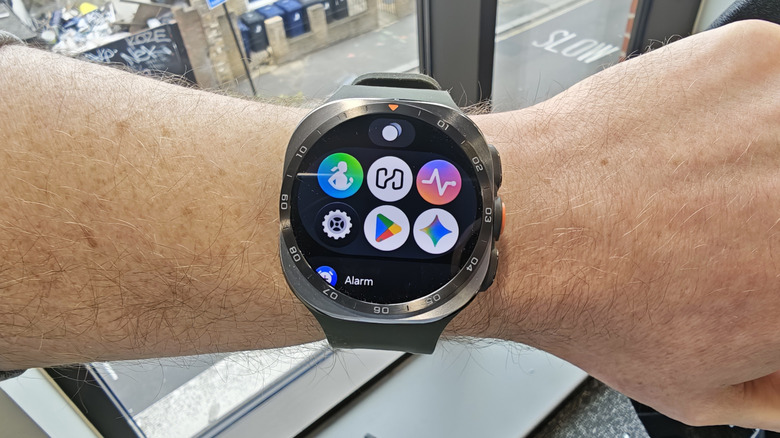
Speaking of the app drawer, I think the Watch Ultra 2's app icons are often too plain and similar-looking, making it hard to find what I need at a glance. Having to depend on the alphabetical list (and scrolling and scrolling and scrolling) is rough. I rarely use Samsung's home-built Android apps, preferring either Google or third-party options, so I haven't built up a memory of most of the app icons. Samsung offers an app panel with your six most recently used Watch apps, which can even include the settings menu or Google Play Store, helping reduce my struggles with the wearable's app list.
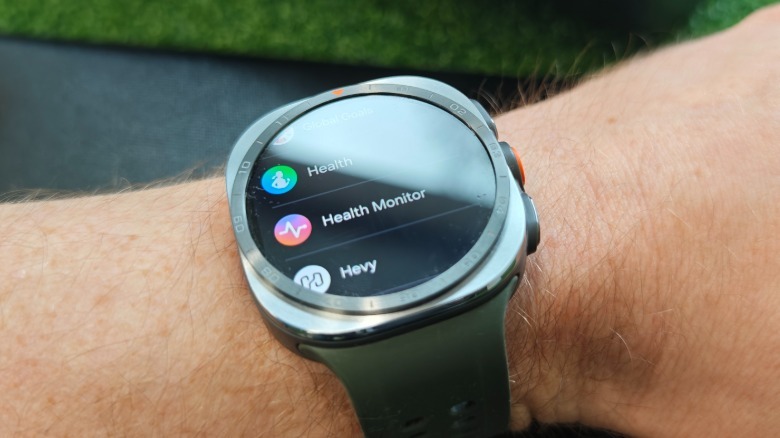
Samsung split some of its health features between two apps: Health and Health Monitor. The company did so to keep medical-grade features like ECG (electrocardiogram) and sleep apnoea detection separate, and to obey regulatory compliance and medical device approvals in different regions. Samsung can then roll out (or limit) clinical features by location based on that criteria. Still, finding the health tracking features I wanted was often laborious, with half the features (like sleep metrics) requiring me to open my smartphone to see them.
There are highlights too. Samsung has built a playful range of watch faces and wallpapers, mixing chronograph-style, information-heavy options with customizable, photo-centric portraits and brightly colored numeric options. Uploading your own photos to the watch remains oddly sluggish, however.
Sleep tracking, hydration tracking and everything else
Samsung goes to town on tracking biometrics, yet again. Antioxidant levels, hydration tracking and body composition scanning are here, on top of deeper sleep and workout tracking. Loud noise detection is new for Samsung's wearables, too, a feature that's been on Apple's Watch series for a few years.
Some new features are hidden away inside the Watch Ultra 2 (or more often than not, your companion Samsung smartphone), but they're aimed at better synthesizing all this data into a more palatable, understandable form. For example, a new feature called Heart Health Score attempts to distill multiple tracked metrics into a single number, combining sleep, stress and activity and connecting it to body composition data.
It's a clear example of how many wearable features and settings get buried, and how easy they are to miss. To see your score, you have to open the Heart health tile on your watch, scroll down and tap "Show on phone" to launch its own Health app on your paired device. I wish this (like many other metrics) could just be displayed on the Watch Ultra 2 itself.
We've already tested out the new hydration tracking during exercise, which seems aimed at more intensive, lengthier workouts than I usually do. It could be a useful addition for hardcore athletes, but for the rest of us who work out in the gym or train for a half-marathon at most, hydration isn't a major issue. One quick aside: The Galaxy Watch Ultra 2 automatically detects workouts and walks well, flagging sessions more consistently than my Apple Watch Ultra 3.
Once again, we tested the antioxidant tracking, which requires you to take off the Watch Ultra 2 and press your thumb firmly against the sensors on the rear of the device. For a week, I tried to lean into the healthy eating habits Samsung says will increase my antioxidant levels. It's a lot of common-sense suggestions: Eliminate added sugars, avoid ultra-processed snacks and meals, increase raw veggies and fruits. Interestingly, Samsung's app suggests leaning into moist-heat cooking — like steaming, instead of grilling or roasting.
While we saw antioxidant testing in last year's Samsung wearables, the Watch Ultra 2 adds two features: trend charts and daily history logs. My antioxidant levels increased towards the upper limit of low, but never quite graduated to the middle rating. I'm not sure it's a particularly notable way to track healthier eating, but it kept me honest in my food choices for a few weeks.
 Mat Smith for Engadget
Sleep tracking has been upgraded, although the new software finally landed months after the Watch Ultra 2 initially went on sale. There are some genuine improvements here, including a faster setup. The watch now requires only three days of sleep data from the past two weeks, instead of the seven days previous Galaxy Watches needed.
Despite its stellar battery life, the Galaxy Watch suffers from the fact that most of us recharge our smartwatches overnight — or prefer not to sleep with a slab of tech attached to our wrist. Folks who charge their watch overnight can't gather sleep data, so needing fewer days of data makes it easier to get on board with sleep tracking.
There's also a sleep coaching 'pet', based on an initial setup survey and your first few nights of sleep pattern data. This offers sleep advice and habit suggestions, setting up a 4- to 8-week coaching program that adjusts dynamically based on the sleep you eventually get.
Samsung has offered snore detection on its wearables for years, which still requires your phone nearby to record audio and it's still harrowing to listen back to. With the Watch Ultra 2, Samsung upgraded sleep apnea detection and folded it into its Health Monitor app. It requires two nights' sleep, with the watch worn tightly and higher up the wrist. It'll then let you know if you show signs of sleep apnea, which can be a genuine health threat.
The watch monitors biometric readings throughout the night, including blood oxygen levels, heart rate variability and your physical movement. It tracks signs of moderate-to-severe obstructive sleep apnea (OSA) and analyzes breathing disruptions per hour. It's not a clinical diagnosis, but it could be worth getting an expert opinion if the watch detects high levels of sleep interruption. If you're not using a Galaxy phone with this watch, unfortunately, you won't be able to use several features, including this sleep apnoea test. Other features unavailable include the ECG, which checks for signs of atrial fibrillation, and the blood pressure monitor.
Wrap-up
Mat Smith for Engadget
Samsung's refinements to its Galaxy Watch Ultra series prove it can match Apple's equivalent Watch Ultra. The hardware is solid and premium, with its own unique style, while the Galaxy Watch Ultra 2's battery life blows away most of its smartwatch competition — a crucial, if not the most important, tech spec in a wearable. The display is also incredibly bright, too, making it easy to use on sunny days, and the always-on mode doesn't demolish the battery life like the feature often does on older wearables.
Samsung continues to test multiple health metrics and lifestyle tracking options with mixed results. Sleep tracking has improved and needs less data, so I didn't feel forced to wear the watch every night. But other features, like antioxidant and hydration tracking, can be inconsistent or even irrelevant.
At a time of rocketing tech prices, Samsung's top-tier smartwatch is $100 cheaper than the Apple Watch Ultra 4. Still, because they're on separate platforms, that decision hinges less on which watch is better and more on whether you use an iPhone or a Galaxy device. The bigger competition may be Samsung's Galaxy Watch 9 ($380), which packs the same array of deep health monitoring features and AI shortcuts for several hundred dollars less. The Galaxy Watch 9 lacks the Watch Ultra 2's standout battery life and bright display, though, both of which make this Samsung's most capable wearable yet.
KioskNews shows a cleaned-up reading view extracted from the publisher’s page — the original always lives on their site, not ours.