The latest PlayStation update made PSSR 2.0 the default for PS5 Pro owners

The newer upscaler now kicks in automatically, but only for games that already support PSSR.
Girts Ragelis/Getty Images
One of the PS5 Pro's graphical improvements is much more noticeable thanks to Sony's latest PlayStation 5 system update, as system software 26.06-14.00.00 enables Enhance PSSR Image Quality by default. Games that are based on the original version of PlayStation Spectral Super Resolution will now take advantage of Sony's newer upscaler without the owner needing to know about a fairly obscure toggle.
There is an important limit, though: games that don't already support PSSR aren't affected. The update is not suddenly adding AI upscaling to everything in the PlayStation library, and not every game with a "PS5 Pro Enhanced" badge is using PSSR to begin with.
The enhanced PSSR and its system-level override arrived in March. Sony calls it "upgraded" or "enhanced" PSSR rather than PSSR 2.0, and the newer version takes a different approach to both the neural network and overall algorithm. Until now, PS5 Pro owners who wanted to apply the enhanced model to games built around the original PSSR tech had to enable the setting themselves.
PSSR 2.0 is mostly about cleaning up the first version
Sony Interactive Entertainment
PSSR is Sony's machine-learning upscaler for PS5 Pro. It allows games to be rendered at a lower resolution and then upscaled to a higher output resolution, allowing developers to push for better visuals without the full performance cost of natively rendering at that higher resolution.
The initial release wasn't always elegant. Our PS5 Pro review noted some games had shimmering textures and distortion around fine text, which can be hard to ignore once you've spotted them.
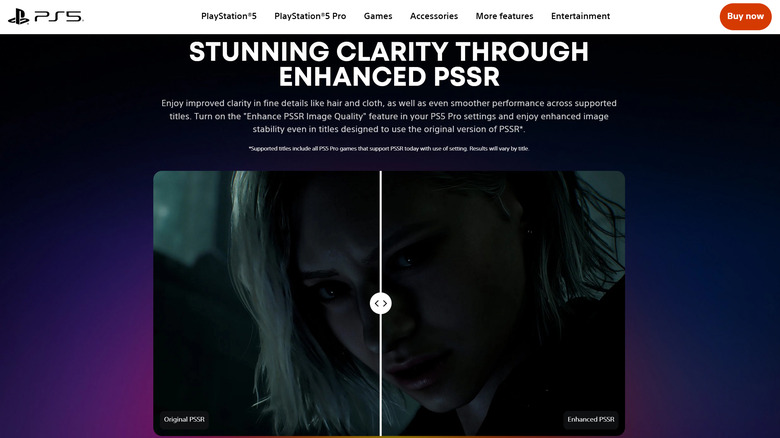
According to Sony, the enhanced version offers fine detail clarity, image reconstruction and stability in motion. Developers who've used it have noted less flickering and afterimages, and more refined details like hair and foliage. The technology is an outgrowth of Project Amethyst, Sony's graphics research with AMD, which has also helped with AMD's machine-learning graphics on PC.
Games that support the newer version will use it by default, but you aren't trapped into the newer version for older games that weren't built to support it. If you're experiencing any unexpected visual effects, go to Settings > Screen and Video > Video Output > Enhance PSSR Image Quality and disable the override to keep PSSR 1 games using their original tech. Make sure you're running games in Pro or Quality mode to take advantage of the improvements.
The update does more than change PSSR's default
Sony Interactive Entertainment
Sony didn't explain why it took some six months to enable this setting by default, and hasn't claimed that every PSSR title will look better in every circumstance.
Meanwhile, PS5 Pro owners aren't getting all the attention. The same update introduces an on-screen voice chat indicator to display the name of the person speaking, along with an option to select where this indicator will appear.
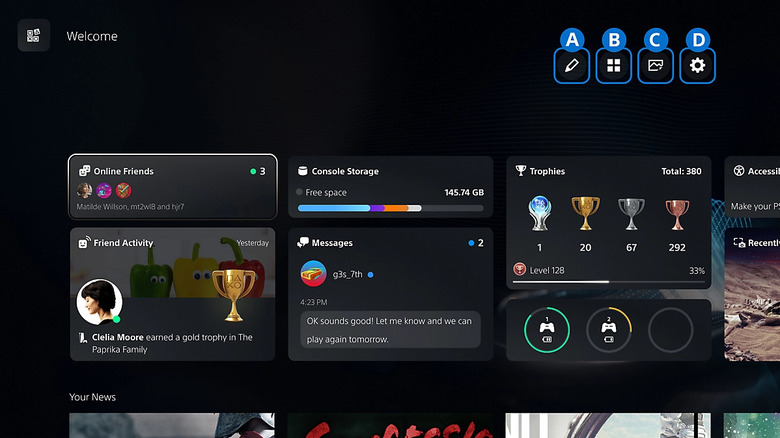
The Welcome Hub also gets a Community Activity widget. Trending Now displays 10 multiplayer games or modes that are attracting a lot of players, and Top 10 displays the most popular games from the last week in your region.
KioskNews shows a cleaned-up reading view extracted from the publisher’s page — the original always lives on their site, not ours.